> ## Documentation Index
> Fetch the complete documentation index at: https://docs.reelevant.com/llms.txt
> Use this file to discover all available pages before exploring further.
# Query an Entity
> Execute a published Datagraph Entity from a Workflow and bind its parameters to Workflow values
 ## Overview
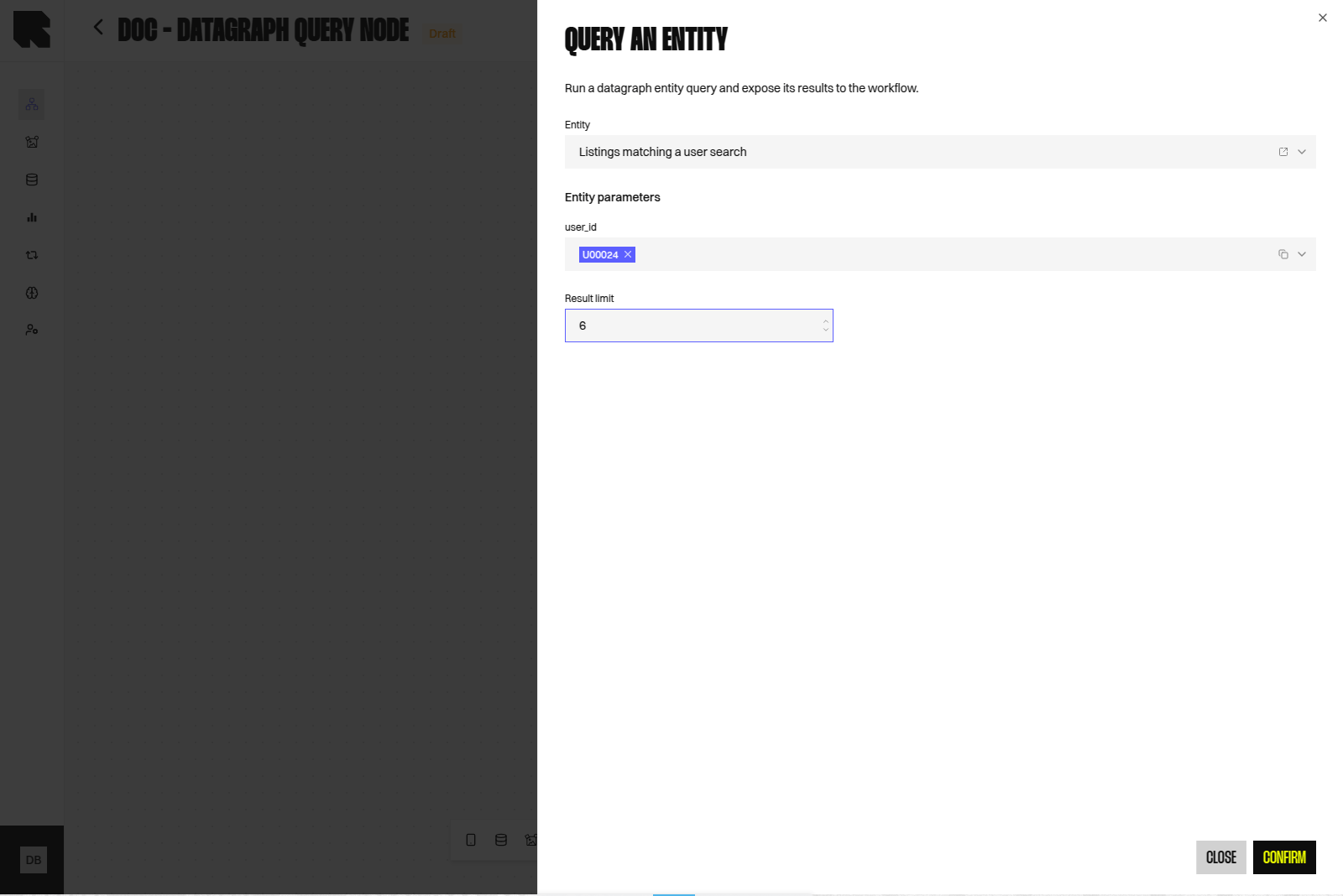
The **Query an entity** Data Node executes the Live version of a [Datagraph Entity](/advanced-guide/datahub/datagraph/entities) and exposes the returned rows to downstream Nodes. It is the only way to consume the Datagraph model inside a Workflow.
Unlike a Datasource Node, which reads a single Datasource, this Node runs the joined SQL prepared in the Entity. Filtering, joining, and ordering therefore live in the Entity, not in the Node.
The Datagraph is in beta, and the Node is restricted to tech admins. Other users do not see it in the **Data** menu of the editor.
## Adding the Node
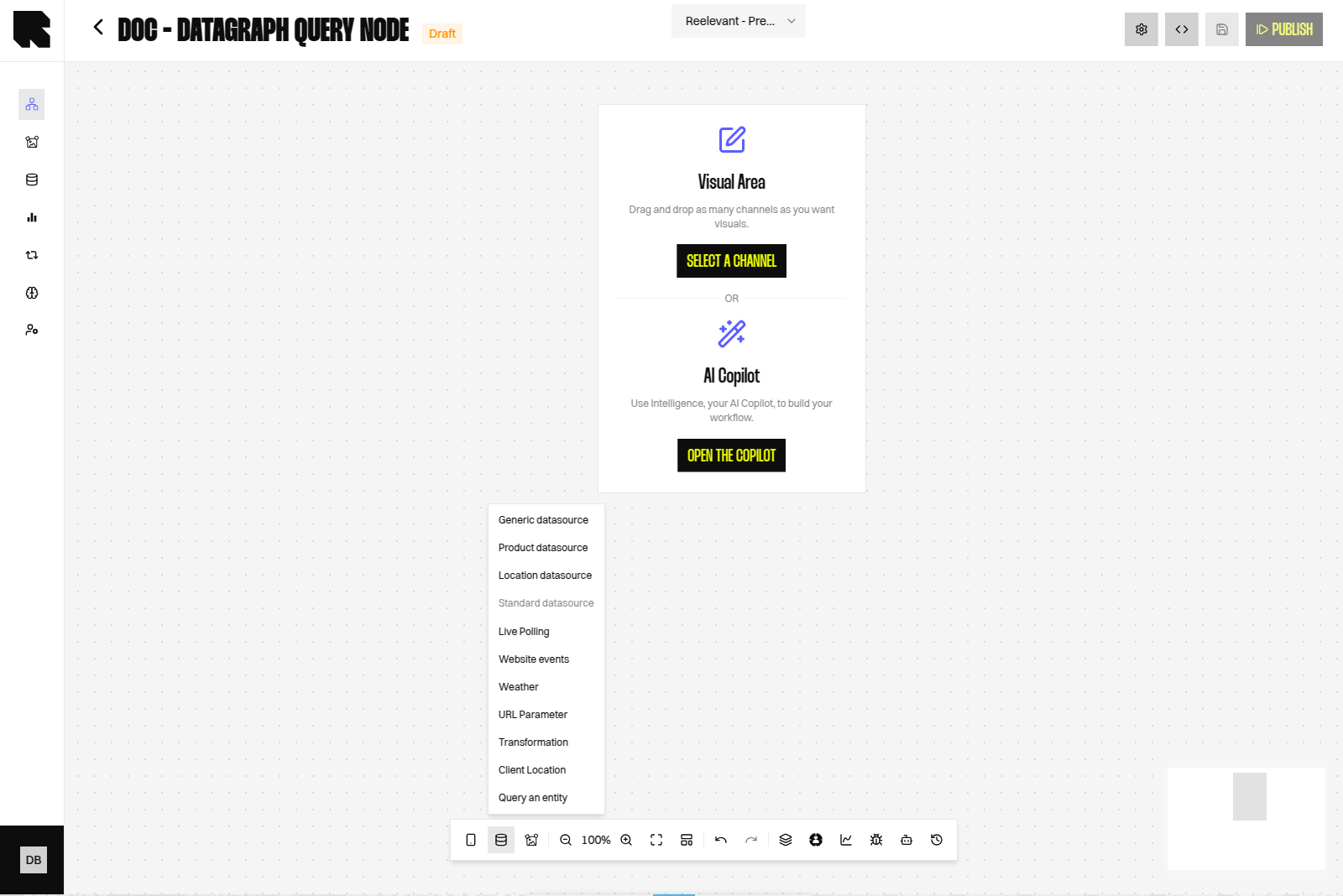
Hover the **Data** button in the editor toolbar and select **Query an entity**. See [Data Nodes](/advanced-guide/workflows/data-nodes) for the general procedure.
## Overview
The **Query an entity** Data Node executes the Live version of a [Datagraph Entity](/advanced-guide/datahub/datagraph/entities) and exposes the returned rows to downstream Nodes. It is the only way to consume the Datagraph model inside a Workflow.
Unlike a Datasource Node, which reads a single Datasource, this Node runs the joined SQL prepared in the Entity. Filtering, joining, and ordering therefore live in the Entity, not in the Node.
The Datagraph is in beta, and the Node is restricted to tech admins. Other users do not see it in the **Data** menu of the editor.
## Adding the Node
Hover the **Data** button in the editor toolbar and select **Query an entity**. See [Data Nodes](/advanced-guide/workflows/data-nodes) for the general procedure.
 ## Configuration
| Field | Description |
| --------------------- | --------------------------------------------------------------------------------------------------------------------------------------------------------------- |
| **Entity** | The Entity to execute. The selector lists Entities that have a **Live** version only; Drafts are excluded. When a single Live Entity exists, it is preselected. |
| **Entity parameters** | One field per parameter declared in the Live definition of the selected Entity. Rendered only after an Entity is selected. |
| **Result limit** | Maximum number of rows returned, between 1 and 200. Disabled until an Entity is selected, and optional. |
The icon next to the **Entity** field opens the Entity in **DataHub → Datagraph → Entities**, in a new tab and in the current account scope.
Changing the selected Entity clears the parameter values already set, because parameter names belong to the Entity definition.
Publishing a new Entity version that renames or adds a parameter does not update Nodes already configured. Re-open each Node to bind the new parameters, otherwise the mandatory ones are missing at execution time.
## Binding Parameters
Each parameter is bound either to a static value or to a value produced upstream in the Workflow, through the **Variable Picker**. The input control follows the declared parameter type.
| Parameter type | Control |
| -------------------------- | ------------------------------- |
| `string`, `id` | Text value or Workflow value |
| `number` | Numeric value or Workflow value |
| `datetime`, `datetime_iso` | Date value or Workflow value |
| `boolean` | Text value or Workflow value |
## Configuration
| Field | Description |
| --------------------- | --------------------------------------------------------------------------------------------------------------------------------------------------------------- |
| **Entity** | The Entity to execute. The selector lists Entities that have a **Live** version only; Drafts are excluded. When a single Live Entity exists, it is preselected. |
| **Entity parameters** | One field per parameter declared in the Live definition of the selected Entity. Rendered only after an Entity is selected. |
| **Result limit** | Maximum number of rows returned, between 1 and 200. Disabled until an Entity is selected, and optional. |
The icon next to the **Entity** field opens the Entity in **DataHub → Datagraph → Entities**, in a new tab and in the current account scope.
Changing the selected Entity clears the parameter values already set, because parameter names belong to the Entity definition.
Publishing a new Entity version that renames or adds a parameter does not update Nodes already configured. Re-open each Node to bind the new parameters, otherwise the mandatory ones are missing at execution time.
## Binding Parameters
Each parameter is bound either to a static value or to a value produced upstream in the Workflow, through the **Variable Picker**. The input control follows the declared parameter type.
| Parameter type | Control |
| -------------------------- | ------------------------------- |
| `string`, `id` | Text value or Workflow value |
| `number` | Numeric value or Workflow value |
| `datetime`, `datetime_iso` | Date value or Workflow value |
| `boolean` | Text value or Workflow value |
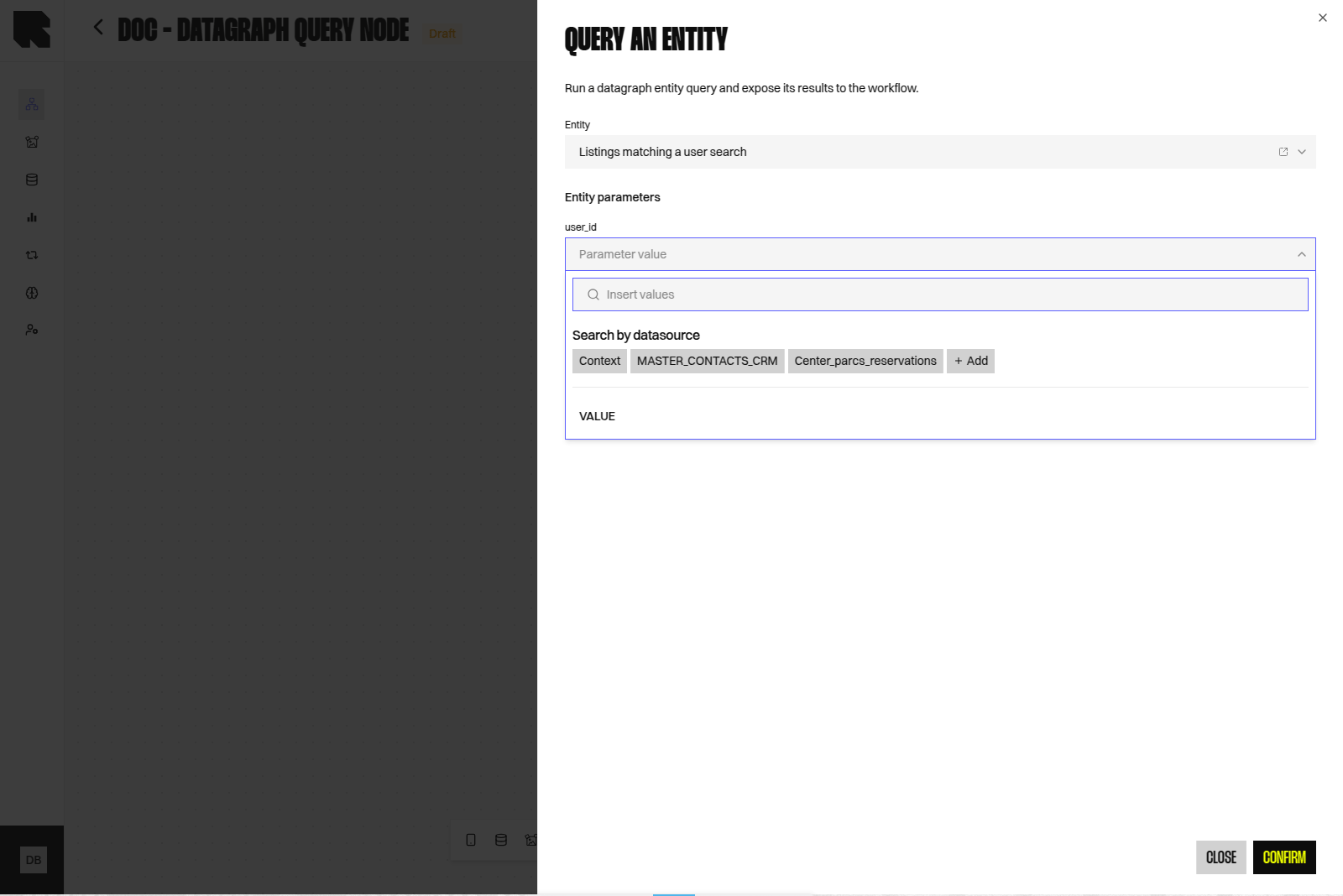 A parameter takes a single value. Multiple values for one parameter are not supported.
Mandatory parameters must be bound. If a mandatory parameter has no value at execution time, the Entity is rejected with an invalid parameter error rather than returning an empty result.
When the Entity declares a `client_id` parameter and the Workflow resolves exactly one tracked person, that identifier is used for `client_id` if you left the field empty. Any value you bind explicitly always wins.
## Output
The Node returns a list of rows. Each row holds the output columns inferred by the Entity, with text, numeric, or empty values.
Those columns are exposed to downstream Nodes in the **Variable Picker**, under the name of the Entity, and can feed a [Content](/product-guide/contents/overview) or a [Condition](/advanced-guide/workflows/logic-nodes/conditions).
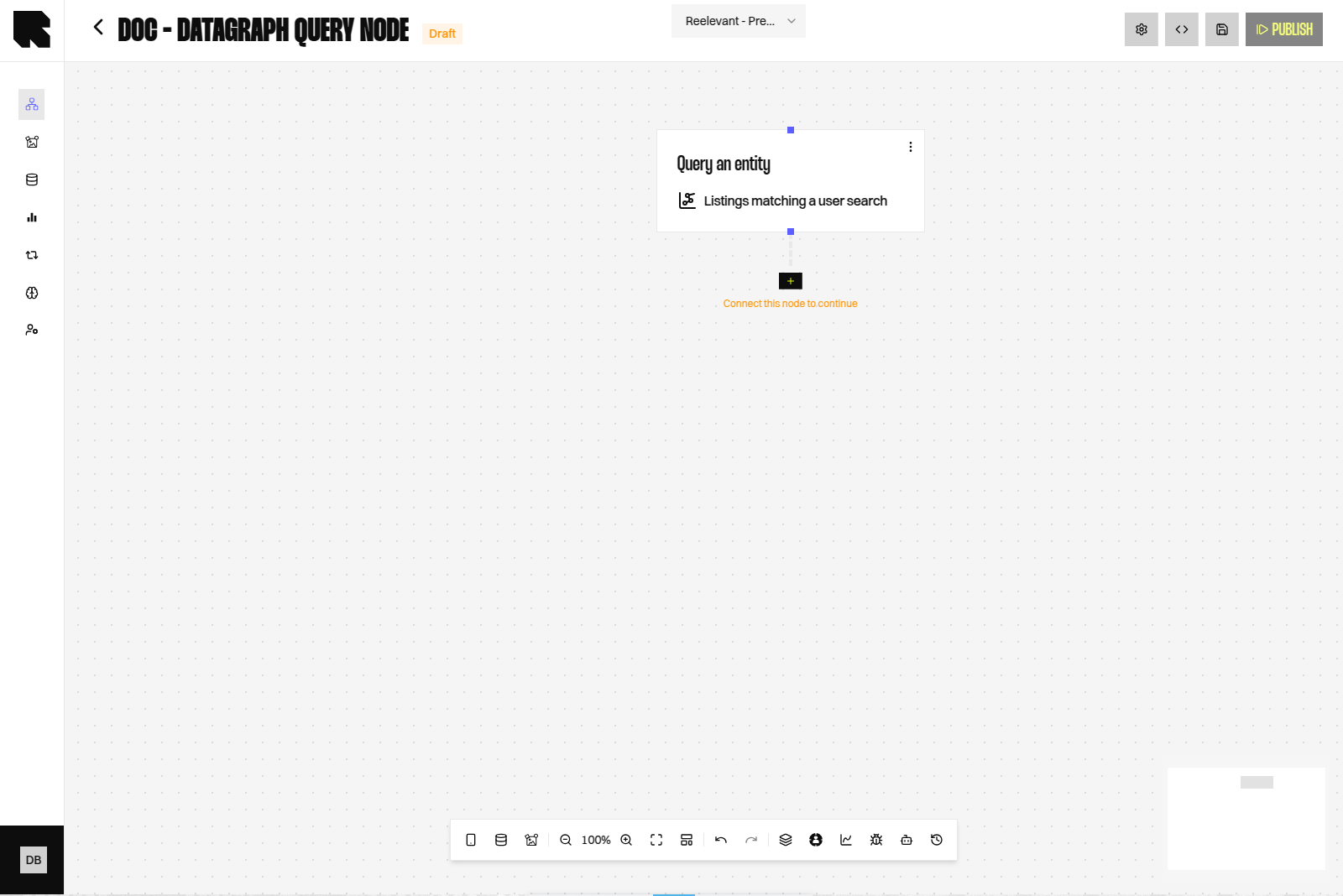
The canvas Node displays the name of the selected Entity, so a Workflow using several Entities stays readable.
A parameter takes a single value. Multiple values for one parameter are not supported.
Mandatory parameters must be bound. If a mandatory parameter has no value at execution time, the Entity is rejected with an invalid parameter error rather than returning an empty result.
When the Entity declares a `client_id` parameter and the Workflow resolves exactly one tracked person, that identifier is used for `client_id` if you left the field empty. Any value you bind explicitly always wins.
## Output
The Node returns a list of rows. Each row holds the output columns inferred by the Entity, with text, numeric, or empty values.
Those columns are exposed to downstream Nodes in the **Variable Picker**, under the name of the Entity, and can feed a [Content](/product-guide/contents/overview) or a [Condition](/advanced-guide/workflows/logic-nodes/conditions).
The canvas Node displays the name of the selected Entity, so a Workflow using several Entities stays readable.
 ## Worked Example
A property listings Datagraph joins users, listings, recommendations, and market prices. The Entity `listings_matching_a_user_search` declares one parameter, `user_id`, and returns one row per matching listing with its reference, surface, city, and price.
In the Workflow:
1. A **URL Parameter** Node captures `user_id` from the call made by the sending tool.
2. A **Query an entity** Node selects `listings_matching_a_user_search`, binds `user_id` to that URL Parameter, and sets **Result limit** to 6.
3. The Content iterates over the returned rows to build a six-listing block.
Because the joins live in the Entity, the same Node configuration works for every recipient, and the model can be corrected without touching the Workflow.
## Operational Notes
* Keep the result limit aligned with what the Content renders. Rows that are fetched but never displayed still cost execution time.
* Test the Entity with **Run query** in the Entity editor before wiring it into a Workflow, using the same parameter values.
* Relations with a low join match produce sparse results. Review them in the [Datagraph Explorer](/advanced-guide/datahub/datagraph/explorer) before blaming the Node.
* An Entity whose Datasources are protected by row-level filters cannot be executed from a Workflow.
## Related
Write the parameterised SQL, infer output columns, and publish an Entity.
Understand the model the Entities are built on.
## Worked Example
A property listings Datagraph joins users, listings, recommendations, and market prices. The Entity `listings_matching_a_user_search` declares one parameter, `user_id`, and returns one row per matching listing with its reference, surface, city, and price.
In the Workflow:
1. A **URL Parameter** Node captures `user_id` from the call made by the sending tool.
2. A **Query an entity** Node selects `listings_matching_a_user_search`, binds `user_id` to that URL Parameter, and sets **Result limit** to 6.
3. The Content iterates over the returned rows to build a six-listing block.
Because the joins live in the Entity, the same Node configuration works for every recipient, and the model can be corrected without touching the Workflow.
## Operational Notes
* Keep the result limit aligned with what the Content renders. Rows that are fetched but never displayed still cost execution time.
* Test the Entity with **Run query** in the Entity editor before wiring it into a Workflow, using the same parameter values.
* Relations with a low join match produce sparse results. Review them in the [Datagraph Explorer](/advanced-guide/datahub/datagraph/explorer) before blaming the Node.
* An Entity whose Datasources are protected by row-level filters cannot be executed from a Workflow.
## Related
Write the parameterised SQL, infer output columns, and publish an Entity.
Understand the model the Entities are built on.