> ## Documentation Index
> Fetch the complete documentation index at: https://docs.reelevant.com/llms.txt
> Use this file to discover all available pages before exploring further.
# Account Management Overview
> Manage users, roles, and teams to control access and permissions on the platform
 ## What is Account Management?
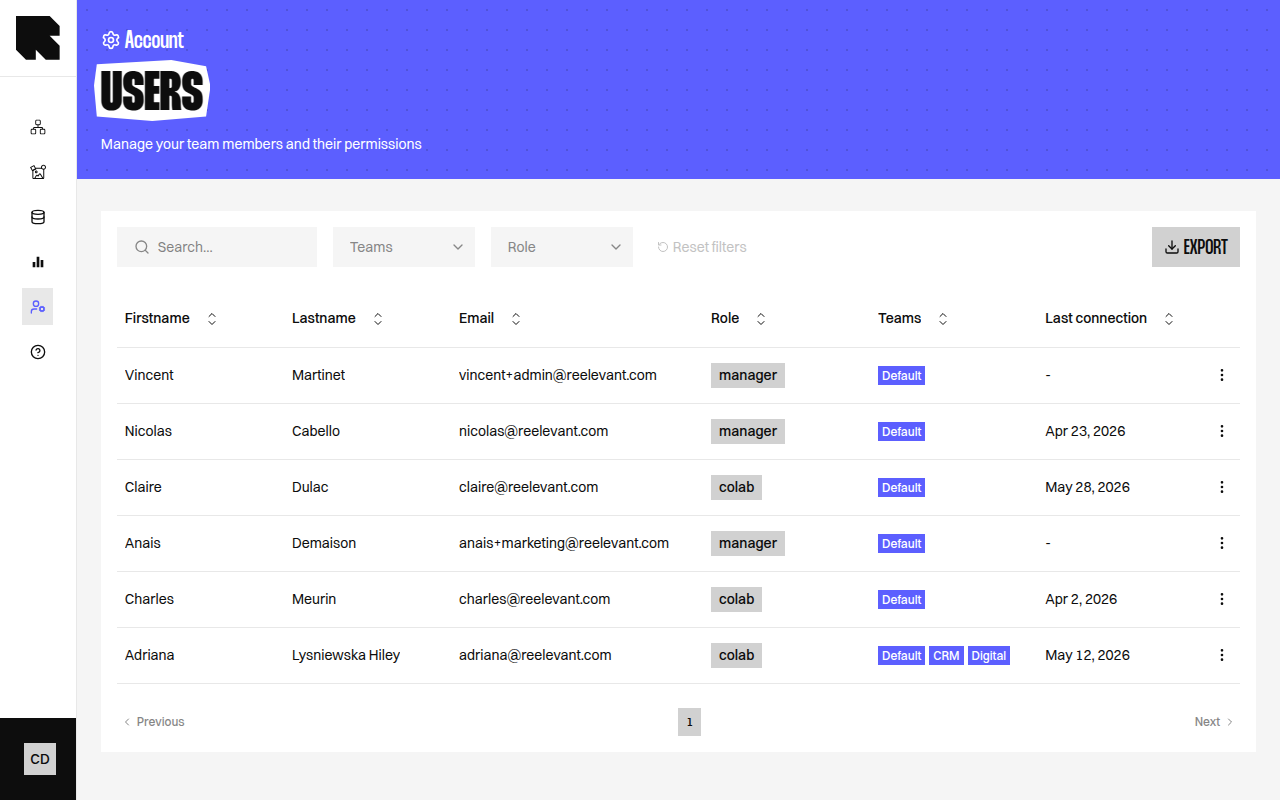
Account Management is the Reelevant platform's administration center. It provides tools for managing who can access the platform, what they can do, and how resources are organized across teams.
## Key Concepts
| Concept | Description |
| ----------------------------------- | ------------------------------------------------------------------------------------------------------------------------------------------------------------------------------------------------------------------------------------------------------------ |
| **User** | A person with access to the platform. Users have a role and belong to one or more teams. |
| **Role** | A set of permissions that defines what actions a user can perform (create, read, update, delete) on which resources. |
| **Team** | An organizational unit for grouping users and controlling access to [workflows](/product-guide/workflows/overview), [contents](/product-guide/contents/overview), and [datasources](/product-guide/datahub/overview). Teams can be organized hierarchically. |
| **Permission** | A rule that grants a specific action on a specific resource type. Permissions are configured in roles and scoped by company and team membership. |
| **Invitation** | A URL sent to a new user to register and access the platform. |
| **Two-Factor Authentication (2FA)** | An optional security layer using a time-based one-time password (TOTP) app. |
## How It All Fits Together
The permission system works in three layers:
1. **Roles** define *what* actions a user can perform (e.g., create workflows, read statistics).
2. **Teams** define *which* resources a user can access (e.g., only resources in the "Marketing" team).
3. **Company** isolation ensures users can only access data within their own organization.
See the [Permissions](/product-guide/account/permissions) page for a detailed explanation of how these layers interact.
## Sections
Understand how the permission system controls access to platform resources.
Invite, edit, and manage platform users.
Create and configure roles with granular permissions.
Organize users into hierarchical teams for access control.
## What is Account Management?
Account Management is the Reelevant platform's administration center. It provides tools for managing who can access the platform, what they can do, and how resources are organized across teams.
## Key Concepts
| Concept | Description |
| ----------------------------------- | ------------------------------------------------------------------------------------------------------------------------------------------------------------------------------------------------------------------------------------------------------------ |
| **User** | A person with access to the platform. Users have a role and belong to one or more teams. |
| **Role** | A set of permissions that defines what actions a user can perform (create, read, update, delete) on which resources. |
| **Team** | An organizational unit for grouping users and controlling access to [workflows](/product-guide/workflows/overview), [contents](/product-guide/contents/overview), and [datasources](/product-guide/datahub/overview). Teams can be organized hierarchically. |
| **Permission** | A rule that grants a specific action on a specific resource type. Permissions are configured in roles and scoped by company and team membership. |
| **Invitation** | A URL sent to a new user to register and access the platform. |
| **Two-Factor Authentication (2FA)** | An optional security layer using a time-based one-time password (TOTP) app. |
## How It All Fits Together
The permission system works in three layers:
1. **Roles** define *what* actions a user can perform (e.g., create workflows, read statistics).
2. **Teams** define *which* resources a user can access (e.g., only resources in the "Marketing" team).
3. **Company** isolation ensures users can only access data within their own organization.
See the [Permissions](/product-guide/account/permissions) page for a detailed explanation of how these layers interact.
## Sections
Understand how the permission system controls access to platform resources.
Invite, edit, and manage platform users.
Create and configure roles with granular permissions.
Organize users into hierarchical teams for access control.