> ## Documentation Index
> Fetch the complete documentation index at: https://docs.reelevant.com/llms.txt
> Use this file to discover all available pages before exploring further.
# Measures and Dimensions Reference
> See the full analytics measures and dimensions available in Data Exploration
 ## Overview
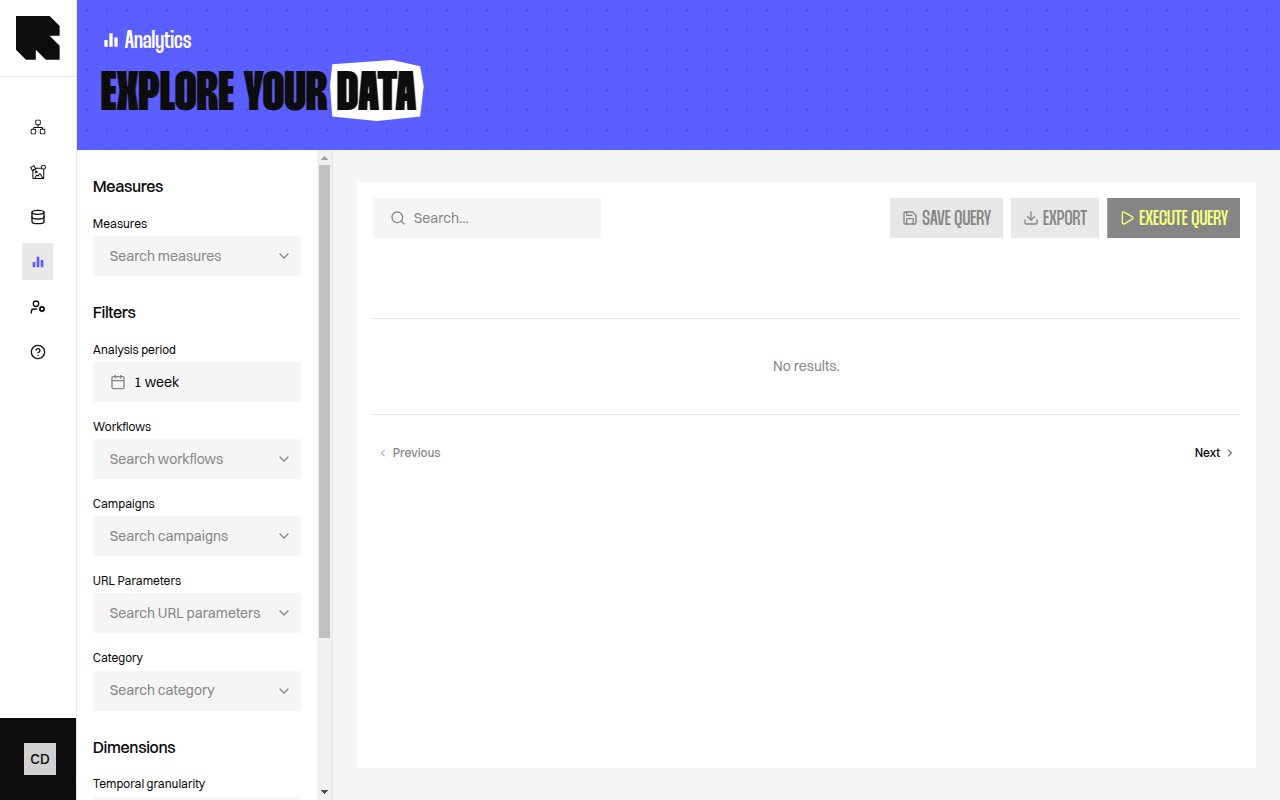
This reference lists the measures and dimensions you can use in Data Exploration.
## Measures
### Workflow event measures
| Measure | Description |
| ----------------------------------- | ----------------------------------------------------------------------------------------- |
| Average Content Generation Duration | Average time to display a Content. |
| Unique Opener Count | Unique openers. |
| Total Opening Count | Number of openings containing at least one Reelevant Content. |
| Repeat Content Exposition Per User | Number of openings per opener, on average. |
| Total Display Count | Number of Reelevant Content items that have been displayed. |
| Total Click Count | Number of clicks on Reelevant Content. |
| Unique Clicker Count | Number of unique Clickers that interacted with Reelevant Content. |
| Average Click Per User | Indicates how many times the same person clicks, on average. |
| Individualized Opening Count | Number of openers that have seen at least one individualized content. |
| Individualized Display Count | For now, a content is considered individualized if it results from browsing interactions. |
| Individualized Display Rate | Share of individualized Content among every Content. |
| Unique Individualized Opener | Number of openers that have seen at least one individualized content. |
| Unique Individualized Opener Rate | Ratio between exposed openers and the total of openers. |
| Click To Open Rate | Obtained by looking at all the clicks per the total of openings. |
| Clicker to Opener Rate | Click-to-Opens-Rate. |
### Purchase event measures
| Measure | Description |
| ---------------------------------- | --------------------------------------------------------------------- |
| Total Conversion Count | Number of conversions that followed a click on a Reelevant content. |
| Unique Buyer Count | Number of different people that have at least purchased one time. |
| Average Order Value | Average Order Value for the conversions. |
| Total Revenue | Revenue generated by conversions. |
| Average Revenue Per Buyer | Average revenue generated for one buyer. |
| Order Count Per Buyer | Number of times a person repeat its purchases, on average. |
| Time To Purchase From Click | Average time between a click on a Reelevant content and the purchase. |
| Reference Count | Total number of product references in the transactions. |
| Average Reference Count Per Basket | Average number of product references per transaction. |
### Derived measures
| Measure | Description |
| -------------------------------------------- | ------------------------------------------------------------------------------------------- |
| Conversion Rate | Conversions per Clicks. |
| Unique Conversion Rate | Conversion rate for unique individuals. |
| Click Uplift by Individualized Content | Clicks minus what only default Content would have brought. |
| Conversions Uplift by Individualized Content | Conversions minus those that would have been brought if only default Content was displayed. |
| Revenue Uplift by Individualized Content | Revenue minus those that would have been brought if only default Content was displayed. |
## Dimensions
### Workflow event dimensions
| Dimension | Description |
| ------------------------- | --------------------------------------------- |
| Workflow Name | Group by workflow. |
| Workflow Version Id | Group by workflow version. |
| Is Individualized Content | Distinguish personalised and default content. |
| Device Type | Group by device. |
| Email client | Group by email client. |
| Message (rlvt-m) | Group by the message identifier. |
| Visual Zone Number | Group by zone position. |
| Visual Zone Type | Group by zone type. |
| User is anonymous | Show whether the user is anonymous. |
| Interaction type | Group by the interaction type. |
| Workflow Branch | Group by the Branch used. |
| Datasource Id | Group by Datasource identifier. |
| Product reference | Group by the product reference. |
| Workflow Language | Group by workflow language. |
| Device OS | Group by device operating system. |
| Used branches identifiers | Show the Branch identifiers that were used. |
| Last branch identifier | Show the last Branch identifier. |
| Execution return code | Show the workflow return code. |
| User identifier | Group by the user identifier. |
| UTM Source Parameter | Group by the UTM source value. |
| UTM Campaign Parameter | Group by the UTM campaign value. |
| UTM Medium Parameter | Group by the UTM medium value. |
#### Execution return code values
This dimension tells you whether the Runner (the service that builds your Content) finished the Workflow. Most rows are empty, which means everything went well.
| Code | What it means |
| ----- | ---------------------------------------------------------------------------------------------------------------------- |
| Empty | The Workflow ran to the end. |
| 3501 | The Workflow stopped before reaching an Output Node (the last step of a Branch). The default visual was shown instead. |
| 3502 | A Node failed but the Branch finished. Your Content was still shown. |
| 3503 | A click could not be matched with a destination link. |
A high share of 3501 or 3502 usually points to a Datasource that stopped answering. Share the Workflow name and the code with your Technical Account Manager.
### Purchase event dimensions
| Dimension | Description |
| ----------------- | -------------------------------- |
| Buyer Device Type | Group by buyer device. |
| Buyer OS Type | Group by buyer operating system. |
| Conversion ID | Group by conversion identifier. |
| Conversion source | Group by the conversion source. |
### Category dimensions
| Dimension | Description |
| ---------------------- | ----------------------------- |
| Category ID | Group by category identifier. |
| Category | Group by category name. |
| `Category (Level {n})` | Group by a category level. |
### Tag dimensions
| Dimension | Description |
| ------------- | ------------------------------------- |
| `Tag: {name}` | One dimension per referenced tag key. |
### URL & workflow dimensions
| Dimension | Description |
| ------------------- | ------------------------------- |
| URL Parameter Value | Group by a URL parameter value. |
| Workflow ID | Group by workflow identifier. |
| Workflow Team | Group by Team. |
| Content Name | Group by Content name. |
| Content Team | Group by Team. |
## Temporal granularity
| Option | Description |
| ------- | ------------------------- |
| Day | Group results by day. |
| Week | Group results by week. |
| Month | Group results by month. |
| Quarter | Group results by quarter. |
## Combining measures and dimensions
Avoid mixing Workflow event measures with Purchase event dimensions. They describe different parts of your data.
When you use Workflow Branch, add Content Name or Workflow Name too. That keeps the result easier to read.
When you use URL Parameter Value, add a URL parameter filter. That keeps the results focused on one parameter.
For a fuller view of open-time behaviour, see [Email client caching and proxies](/advanced-guide/email-rendering/caching-and-proxies).
## What's Next?
Build custom analytics with measures, dimensions, and filters.
Save and reuse report setups for recurring analysis.
Compare these figures with your pre-built dashboards.
## Overview
This reference lists the measures and dimensions you can use in Data Exploration.
## Measures
### Workflow event measures
| Measure | Description |
| ----------------------------------- | ----------------------------------------------------------------------------------------- |
| Average Content Generation Duration | Average time to display a Content. |
| Unique Opener Count | Unique openers. |
| Total Opening Count | Number of openings containing at least one Reelevant Content. |
| Repeat Content Exposition Per User | Number of openings per opener, on average. |
| Total Display Count | Number of Reelevant Content items that have been displayed. |
| Total Click Count | Number of clicks on Reelevant Content. |
| Unique Clicker Count | Number of unique Clickers that interacted with Reelevant Content. |
| Average Click Per User | Indicates how many times the same person clicks, on average. |
| Individualized Opening Count | Number of openers that have seen at least one individualized content. |
| Individualized Display Count | For now, a content is considered individualized if it results from browsing interactions. |
| Individualized Display Rate | Share of individualized Content among every Content. |
| Unique Individualized Opener | Number of openers that have seen at least one individualized content. |
| Unique Individualized Opener Rate | Ratio between exposed openers and the total of openers. |
| Click To Open Rate | Obtained by looking at all the clicks per the total of openings. |
| Clicker to Opener Rate | Click-to-Opens-Rate. |
### Purchase event measures
| Measure | Description |
| ---------------------------------- | --------------------------------------------------------------------- |
| Total Conversion Count | Number of conversions that followed a click on a Reelevant content. |
| Unique Buyer Count | Number of different people that have at least purchased one time. |
| Average Order Value | Average Order Value for the conversions. |
| Total Revenue | Revenue generated by conversions. |
| Average Revenue Per Buyer | Average revenue generated for one buyer. |
| Order Count Per Buyer | Number of times a person repeat its purchases, on average. |
| Time To Purchase From Click | Average time between a click on a Reelevant content and the purchase. |
| Reference Count | Total number of product references in the transactions. |
| Average Reference Count Per Basket | Average number of product references per transaction. |
### Derived measures
| Measure | Description |
| -------------------------------------------- | ------------------------------------------------------------------------------------------- |
| Conversion Rate | Conversions per Clicks. |
| Unique Conversion Rate | Conversion rate for unique individuals. |
| Click Uplift by Individualized Content | Clicks minus what only default Content would have brought. |
| Conversions Uplift by Individualized Content | Conversions minus those that would have been brought if only default Content was displayed. |
| Revenue Uplift by Individualized Content | Revenue minus those that would have been brought if only default Content was displayed. |
## Dimensions
### Workflow event dimensions
| Dimension | Description |
| ------------------------- | --------------------------------------------- |
| Workflow Name | Group by workflow. |
| Workflow Version Id | Group by workflow version. |
| Is Individualized Content | Distinguish personalised and default content. |
| Device Type | Group by device. |
| Email client | Group by email client. |
| Message (rlvt-m) | Group by the message identifier. |
| Visual Zone Number | Group by zone position. |
| Visual Zone Type | Group by zone type. |
| User is anonymous | Show whether the user is anonymous. |
| Interaction type | Group by the interaction type. |
| Workflow Branch | Group by the Branch used. |
| Datasource Id | Group by Datasource identifier. |
| Product reference | Group by the product reference. |
| Workflow Language | Group by workflow language. |
| Device OS | Group by device operating system. |
| Used branches identifiers | Show the Branch identifiers that were used. |
| Last branch identifier | Show the last Branch identifier. |
| Execution return code | Show the workflow return code. |
| User identifier | Group by the user identifier. |
| UTM Source Parameter | Group by the UTM source value. |
| UTM Campaign Parameter | Group by the UTM campaign value. |
| UTM Medium Parameter | Group by the UTM medium value. |
#### Execution return code values
This dimension tells you whether the Runner (the service that builds your Content) finished the Workflow. Most rows are empty, which means everything went well.
| Code | What it means |
| ----- | ---------------------------------------------------------------------------------------------------------------------- |
| Empty | The Workflow ran to the end. |
| 3501 | The Workflow stopped before reaching an Output Node (the last step of a Branch). The default visual was shown instead. |
| 3502 | A Node failed but the Branch finished. Your Content was still shown. |
| 3503 | A click could not be matched with a destination link. |
A high share of 3501 or 3502 usually points to a Datasource that stopped answering. Share the Workflow name and the code with your Technical Account Manager.
### Purchase event dimensions
| Dimension | Description |
| ----------------- | -------------------------------- |
| Buyer Device Type | Group by buyer device. |
| Buyer OS Type | Group by buyer operating system. |
| Conversion ID | Group by conversion identifier. |
| Conversion source | Group by the conversion source. |
### Category dimensions
| Dimension | Description |
| ---------------------- | ----------------------------- |
| Category ID | Group by category identifier. |
| Category | Group by category name. |
| `Category (Level {n})` | Group by a category level. |
### Tag dimensions
| Dimension | Description |
| ------------- | ------------------------------------- |
| `Tag: {name}` | One dimension per referenced tag key. |
### URL & workflow dimensions
| Dimension | Description |
| ------------------- | ------------------------------- |
| URL Parameter Value | Group by a URL parameter value. |
| Workflow ID | Group by workflow identifier. |
| Workflow Team | Group by Team. |
| Content Name | Group by Content name. |
| Content Team | Group by Team. |
## Temporal granularity
| Option | Description |
| ------- | ------------------------- |
| Day | Group results by day. |
| Week | Group results by week. |
| Month | Group results by month. |
| Quarter | Group results by quarter. |
## Combining measures and dimensions
Avoid mixing Workflow event measures with Purchase event dimensions. They describe different parts of your data.
When you use Workflow Branch, add Content Name or Workflow Name too. That keeps the result easier to read.
When you use URL Parameter Value, add a URL parameter filter. That keeps the results focused on one parameter.
For a fuller view of open-time behaviour, see [Email client caching and proxies](/advanced-guide/email-rendering/caching-and-proxies).
## What's Next?
Build custom analytics with measures, dimensions, and filters.
Save and reuse report setups for recurring analysis.
Compare these figures with your pre-built dashboards.