> ## Documentation Index
> Fetch the complete documentation index at: https://docs.reelevant.com/llms.txt
> Use this file to discover all available pages before exploring further.
# Image Component
> Add images to your content templates from uploads, URLs, or datasource variables
 ## Overview
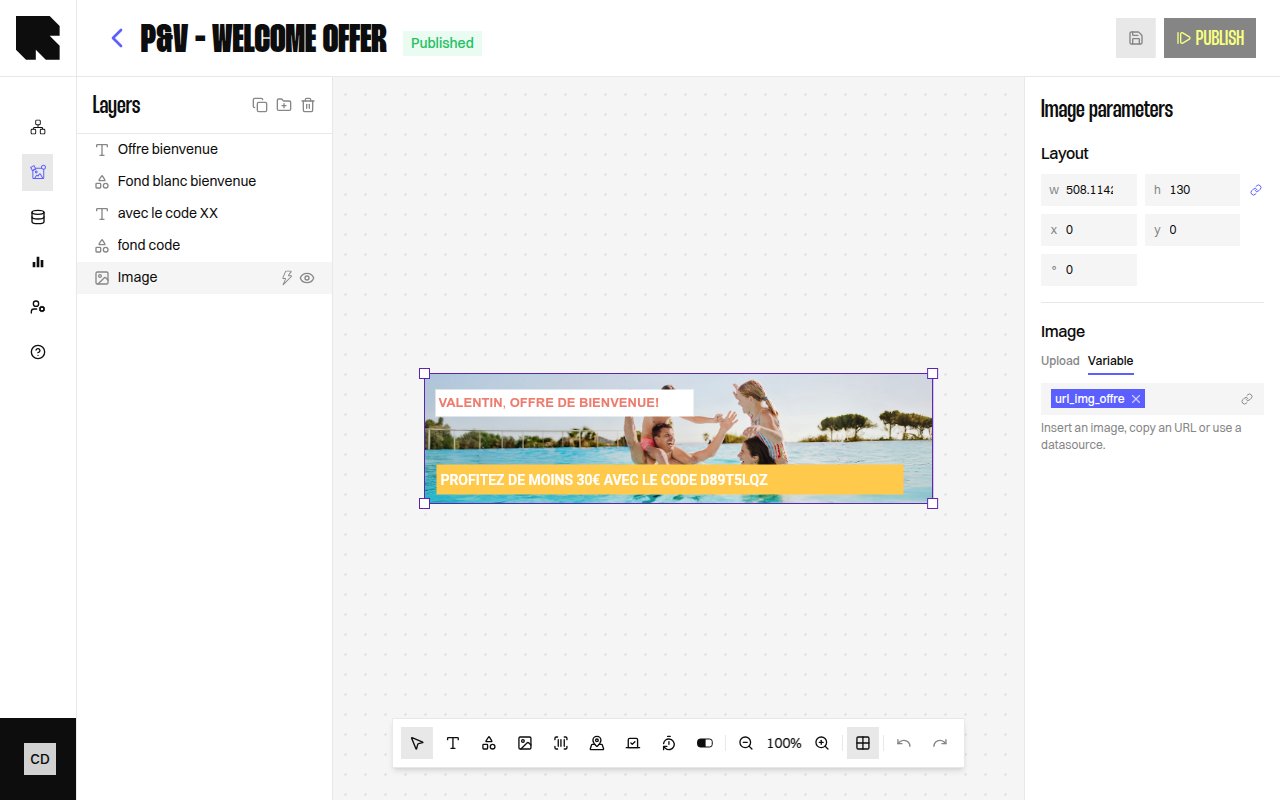
The Image component displays static or dynamic images in your content template. Images can come from a direct upload, a pasted URL, or a [datasource](/product-guide/contents/data-binding) variable that resolves to an image URL at render time.
| Property | Value |
| ------------------------- | --------------- |
| **Toolbar button** | Images |
| **Supports data binding** | Yes — image URL |
| **Supports conditions** | Yes |
## Image Parameters
| Property | Description |
| ------------ | ---------------------------------------------------------------------- |
| **Image** | Upload an image file (PNG, JPG, GIF) or configure a URL. |
| **Variable** | Bind the image URL to a datasource variable using the variable picker. |
Only PNG, JPG, and GIF formats are supported for image uploads.
## Configuration
| Property | Description |
| -------------------- | ------------------------------------------------------------ |
| **Position** | X and Y coordinates on the canvas. |
| **Size** | Width and height with optional **Keep aspect ratio** toggle. |
| **Rotation** | Rotation angle in degrees. |
| **Redirection link** | URL users navigate to when clicking the image. |
## Overview
The Image component displays static or dynamic images in your content template. Images can come from a direct upload, a pasted URL, or a [datasource](/product-guide/contents/data-binding) variable that resolves to an image URL at render time.
| Property | Value |
| ------------------------- | --------------- |
| **Toolbar button** | Images |
| **Supports data binding** | Yes — image URL |
| **Supports conditions** | Yes |
## Image Parameters
| Property | Description |
| ------------ | ---------------------------------------------------------------------- |
| **Image** | Upload an image file (PNG, JPG, GIF) or configure a URL. |
| **Variable** | Bind the image URL to a datasource variable using the variable picker. |
Only PNG, JPG, and GIF formats are supported for image uploads.
## Configuration
| Property | Description |
| -------------------- | ------------------------------------------------------------ |
| **Position** | X and Y coordinates on the canvas. |
| **Size** | Width and height with optional **Keep aspect ratio** toggle. |
| **Rotation** | Rotation angle in degrees. |
| **Redirection link** | URL users navigate to when clicking the image. |