> ## Documentation Index
> Fetch the complete documentation index at: https://docs.reelevant.com/llms.txt
> Use this file to discover all available pages before exploring further.
# Messaging Channels
> How Reelevant content is delivered in RCS, WhatsApp, and other messaging conversations
Messaging channels let you send personalised Reelevant content inside a conversation on the recipient's phone.
## How Messaging Works with Reelevant
Reelevant does not send messages. Your messaging platform does that. Reelevant produces the personalised part of the message: a visual that is generated for each recipient at the moment the message is opened.
RCS and WhatsApp each have their own Channel in the Channel picker. Pick the one that matches the conversation you are sending in, so your reports separate messaging from e-mail.
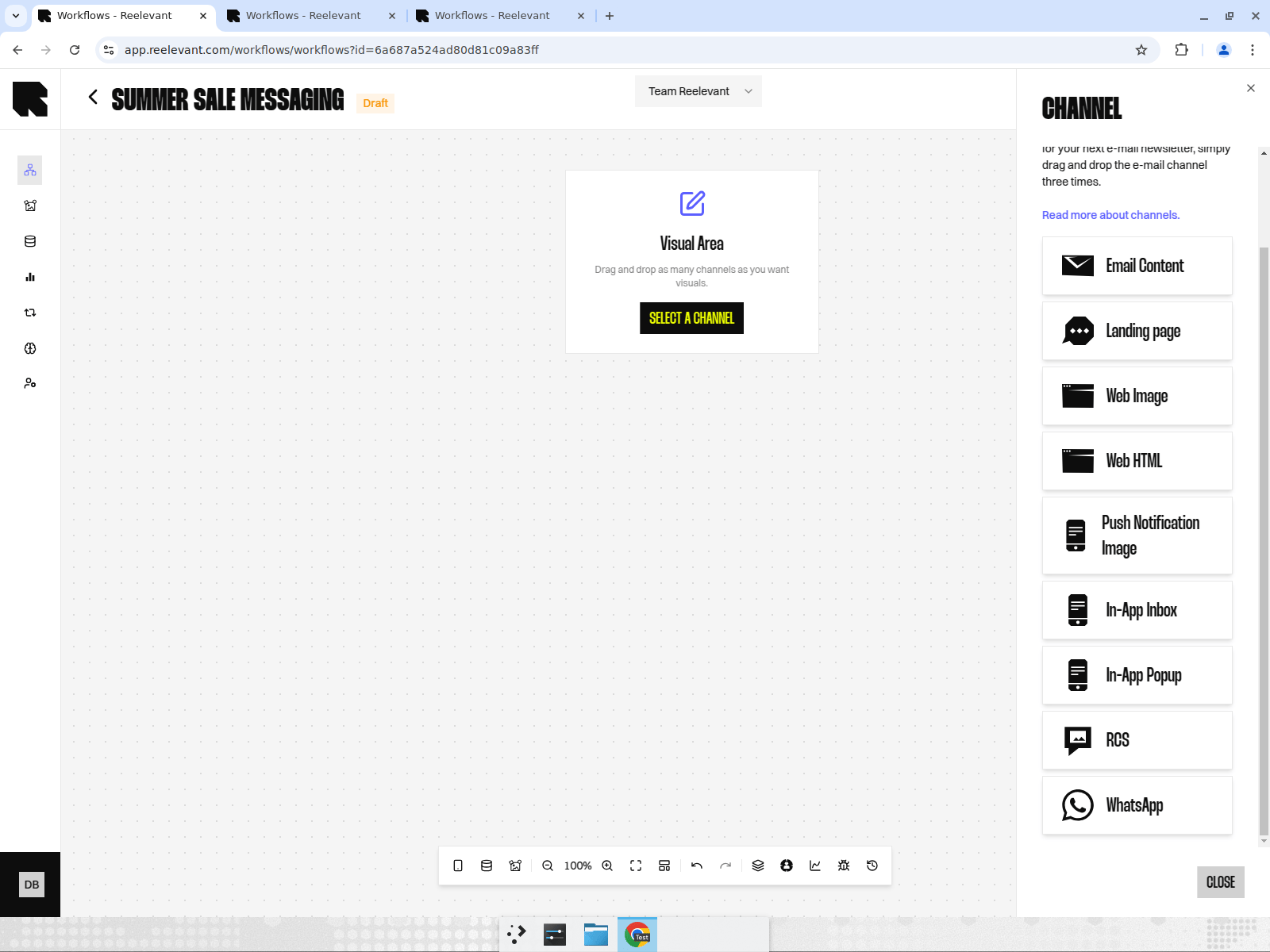 A greyed-out Channel is not enabled for your account. Ask your Reelevant contact to activate it.
Add the RCS or WhatsApp Channel, connect your [Data Nodes](/product-guide/workflows/data-nodes) and [Logic Nodes](/product-guide/workflows/logic-nodes), and finish with a [Visual Content](/product-guide/workflows/output-nodes/visual-content) Output Node.
Open the [Integration modal](/product-guide/workflows/integration) and copy the link for that Channel.
Your messaging platform builds the message and uses that link as the image of the message. It adds the recipient identifier to the link, the same way it works for an e-mail campaign.
Each recipient receives a visual built for them, based on the data available when they open the message.
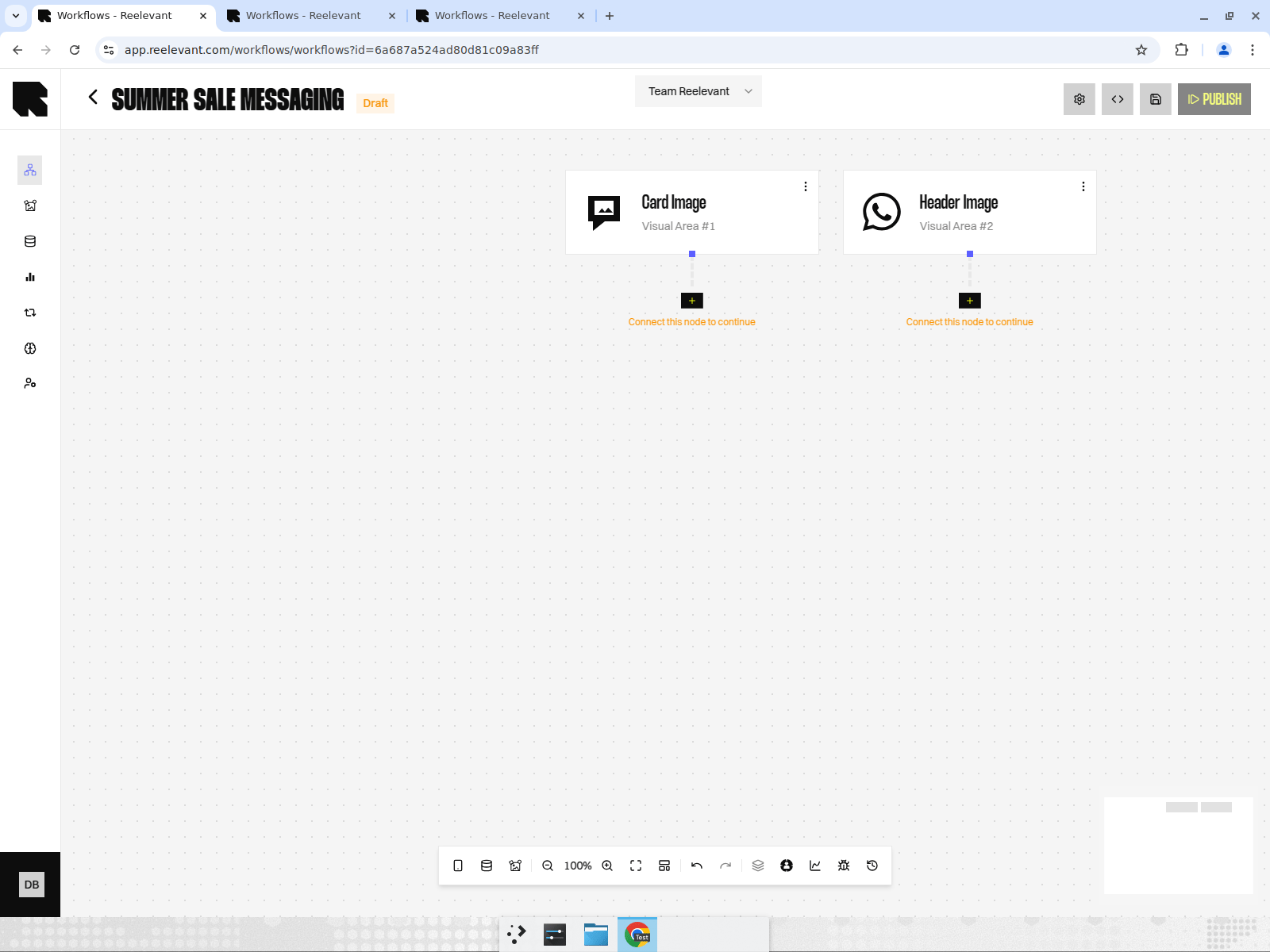
Each Channel you add appears as a Node on the canvas, with the surface it personalises: **Card Image** for RCS, **Header Image** for WhatsApp.
A greyed-out Channel is not enabled for your account. Ask your Reelevant contact to activate it.
Add the RCS or WhatsApp Channel, connect your [Data Nodes](/product-guide/workflows/data-nodes) and [Logic Nodes](/product-guide/workflows/logic-nodes), and finish with a [Visual Content](/product-guide/workflows/output-nodes/visual-content) Output Node.
Open the [Integration modal](/product-guide/workflows/integration) and copy the link for that Channel.
Your messaging platform builds the message and uses that link as the image of the message. It adds the recipient identifier to the link, the same way it works for an e-mail campaign.
Each recipient receives a visual built for them, based on the data available when they open the message.
Each Channel you add appears as a Node on the canvas, with the surface it personalises: **Card Image** for RCS, **Header Image** for WhatsApp.
 ## Available Messaging Channels
Personalised carousels and cards in RCS conversations, with rich SMS as a fallback.
Personalised visuals inside WhatsApp Business messages.
## What Stays on the Messaging Side
Some parts of the message are never controlled by Reelevant. Your messaging platform owns them:
| Element | Owned by |
| --------------------------------------------- | ------------------------- |
| Recipient list, consent, and sending schedule | Messaging platform |
| Message text and buttons | Messaging platform |
| Personalised visual | Reelevant |
| Landing page after a click | Reelevant or your website |
Reelevant only measures what happens on the content it serves. Clicks on buttons added by the messaging platform are counted by that platform, not by Reelevant. See [Messaging and mobile measurement](/advanced-guide/analytics/messaging-and-mobile-measurement).
## What's Next?
Set up a personalised RCS carousel.
Set up a personalised WhatsApp message.
Get the link to give to your messaging platform.
## Available Messaging Channels
Personalised carousels and cards in RCS conversations, with rich SMS as a fallback.
Personalised visuals inside WhatsApp Business messages.
## What Stays on the Messaging Side
Some parts of the message are never controlled by Reelevant. Your messaging platform owns them:
| Element | Owned by |
| --------------------------------------------- | ------------------------- |
| Recipient list, consent, and sending schedule | Messaging platform |
| Message text and buttons | Messaging platform |
| Personalised visual | Reelevant |
| Landing page after a click | Reelevant or your website |
Reelevant only measures what happens on the content it serves. Clicks on buttons added by the messaging platform are counted by that platform, not by Reelevant. See [Messaging and mobile measurement](/advanced-guide/analytics/messaging-and-mobile-measurement).
## What's Next?
Set up a personalised RCS carousel.
Set up a personalised WhatsApp message.
Get the link to give to your messaging platform.