> ## Documentation Index
> Fetch the complete documentation index at: https://docs.reelevant.com/llms.txt
> Use this file to discover all available pages before exploring further.
# Live Polling
> Show the current click share for a Branch in your Content
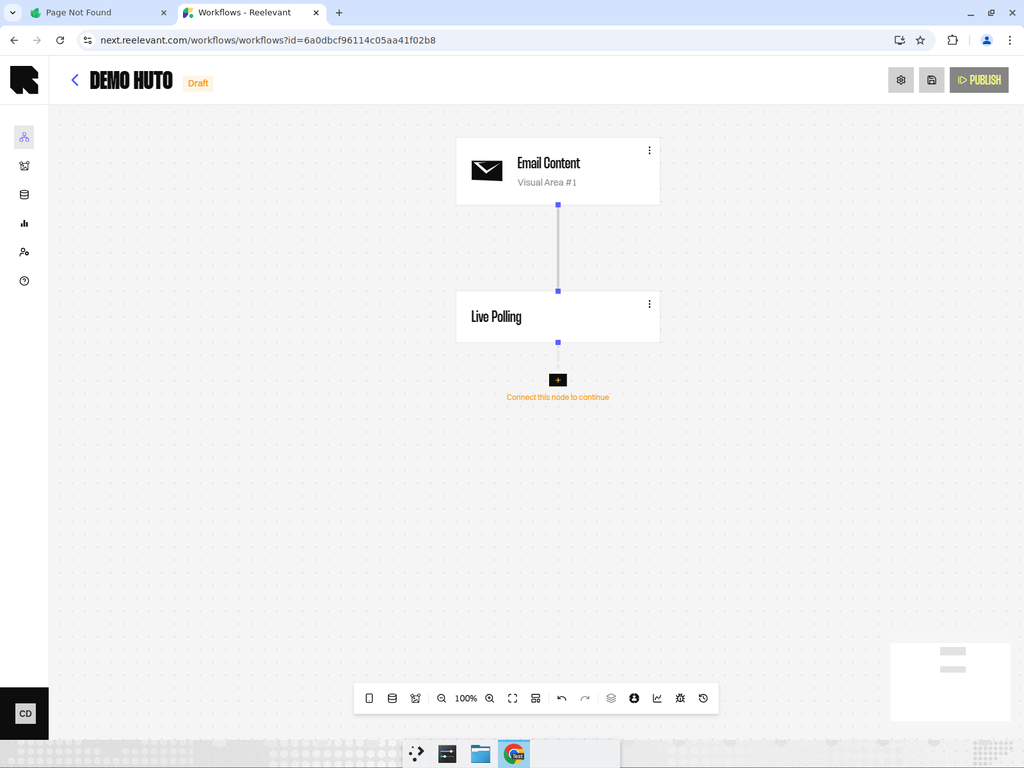 ## Overview
Live Polling shows the current click share for a Branch in your Content.
It updates when the image is fetched, so the value reflects that moment.
## How it works
| Item | Description |
| --------------------------- | ----------------------------------------------------------- |
| Data Node | Returns the live percentage of clicks for its Branch. |
| Unique clicks | Each user's click counts once per Branch. |
| Calculation | Clicks on this Branch ÷ total clicks across the poll × 100. |
| Label in the Content Editor | Current (live) % of clicks. |
## In the Content Editor
You add Live Polling through **Workflow → Live polling**.
The Live poll preset adds an image and a text component.
The text component binds to the live percentage and adds a percent sign.
## Good to know
Some email clients pre-fetch or cache images. That can freeze the value at fetch time, not at the exact moment the recipient opens it.
See [Data Binding](/product-guide/contents/data-binding) for how Content uses workflow values.
See [Email client caching and proxies](/advanced-guide/email-rendering/caching-and-proxies) for accuracy caveats.
## What's Next?
Connect Live Polling to text, images, and other Content properties.
Compare Live Polling with the other Data Nodes.
See why some inboxes can show a frozen value.
## Overview
Live Polling shows the current click share for a Branch in your Content.
It updates when the image is fetched, so the value reflects that moment.
## How it works
| Item | Description |
| --------------------------- | ----------------------------------------------------------- |
| Data Node | Returns the live percentage of clicks for its Branch. |
| Unique clicks | Each user's click counts once per Branch. |
| Calculation | Clicks on this Branch ÷ total clicks across the poll × 100. |
| Label in the Content Editor | Current (live) % of clicks. |
## In the Content Editor
You add Live Polling through **Workflow → Live polling**.
The Live poll preset adds an image and a text component.
The text component binds to the live percentage and adds a percent sign.
## Good to know
Some email clients pre-fetch or cache images. That can freeze the value at fetch time, not at the exact moment the recipient opens it.
See [Data Binding](/product-guide/contents/data-binding) for how Content uses workflow values.
See [Email client caching and proxies](/advanced-guide/email-rendering/caching-and-proxies) for accuracy caveats.
## What's Next?
Connect Live Polling to text, images, and other Content properties.
Compare Live Polling with the other Data Nodes.
See why some inboxes can show a frozen value.