> ## Documentation Index
> Fetch the complete documentation index at: https://docs.reelevant.com/llms.txt
> Use this file to discover all available pages before exploring further.
# Experiment
> Use an Analytics Experiment to split traffic across Workflow Branches
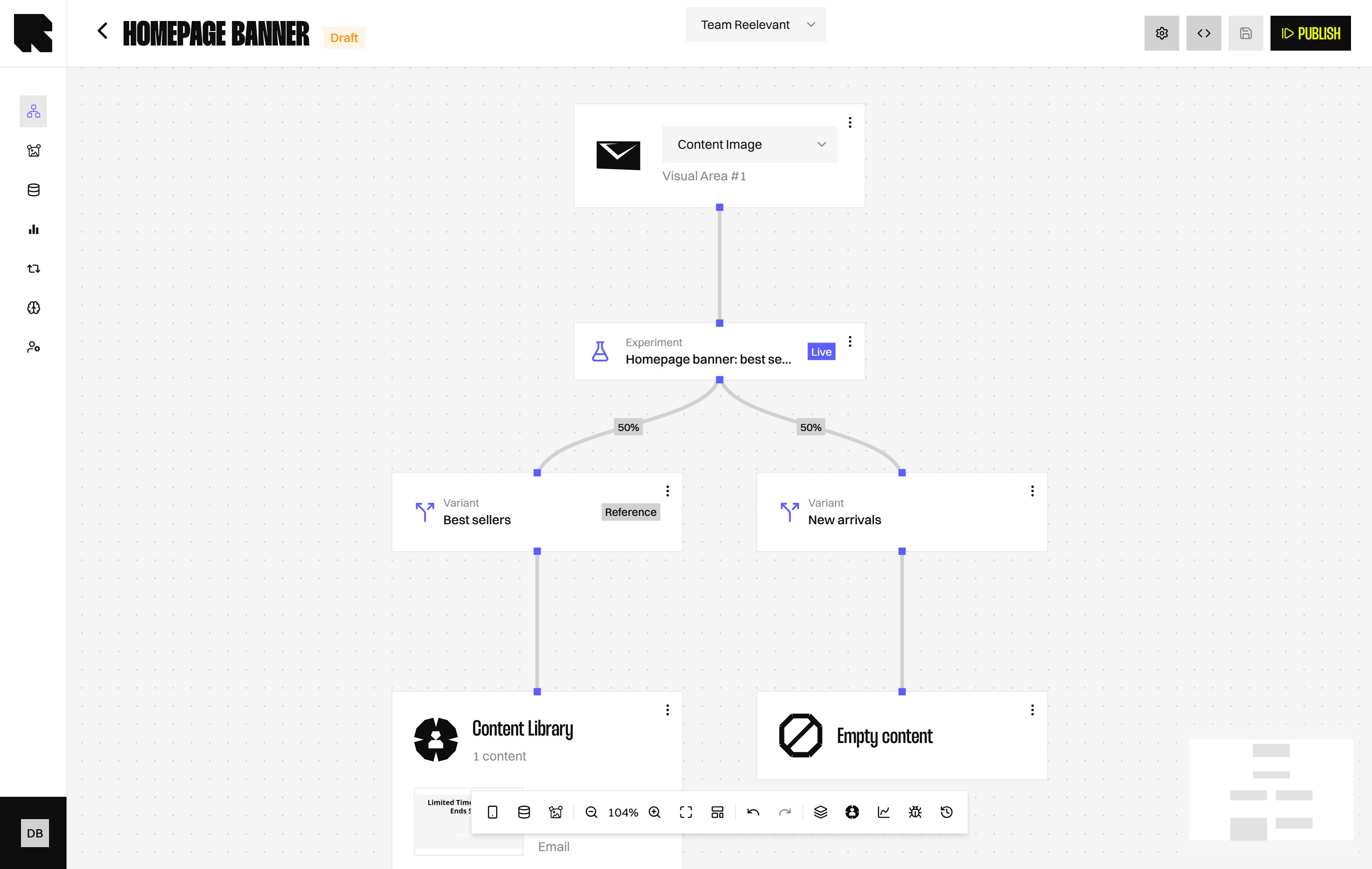 Use the Experiment Node (a Logic Node that divides traffic) to turn an Analytics Experiment's Variants into Workflow Branches. Each Variant becomes a **Variant** Node (a Branch) showing the share of traffic it receives right now. Until the Experiment starts, the Control or Reference shows 100%.
## Add an Experiment Node
Use the Experiment Node (a Logic Node that divides traffic) to turn an Analytics Experiment's Variants into Workflow Branches. Each Variant becomes a **Variant** Node (a Branch) showing the share of traffic it receives right now. Until the Experiment starts, the Control or Reference shows 100%.
## Add an Experiment Node
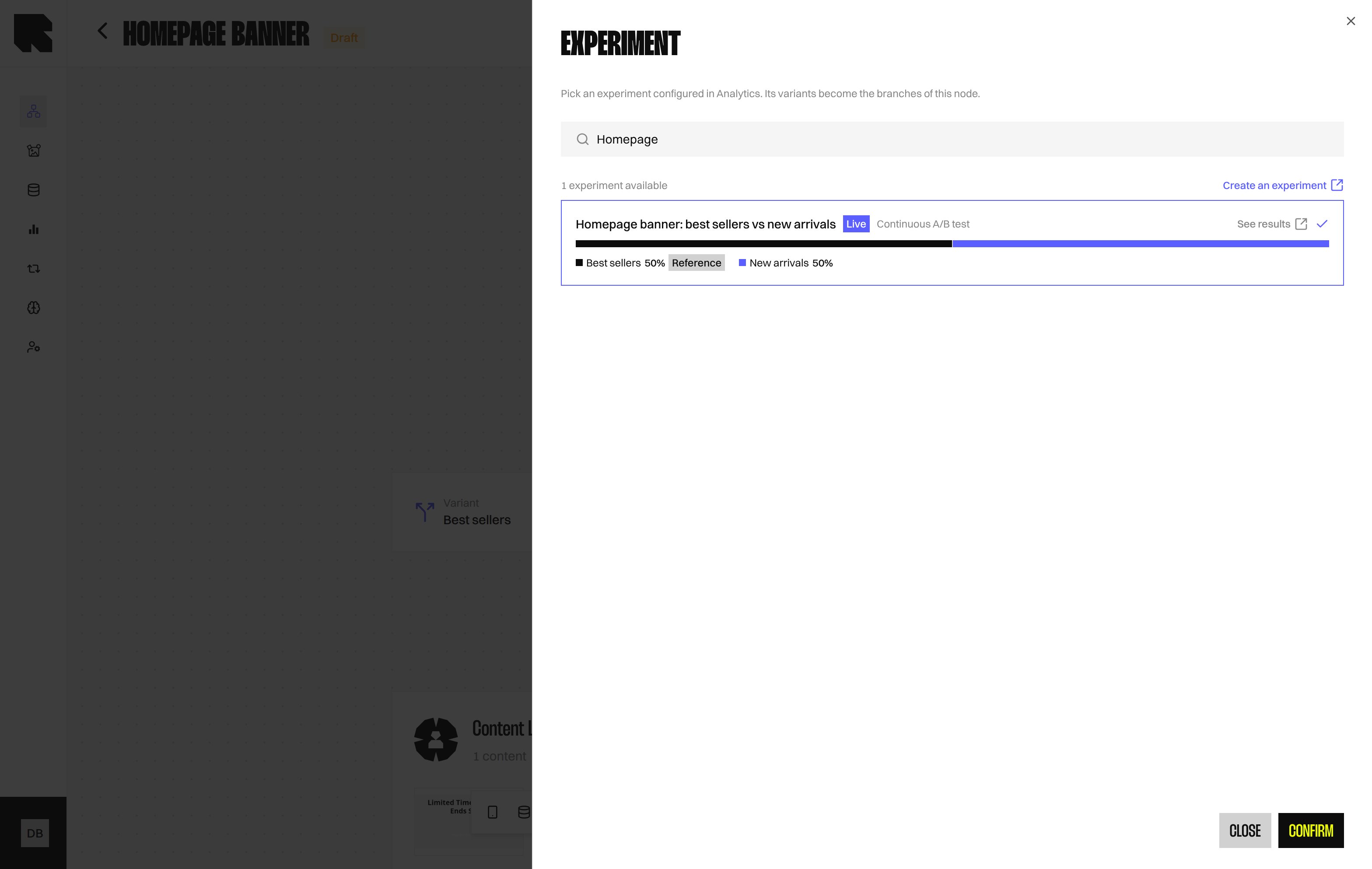 1. In the Workflow Node picker, select **Experiment**.
2. Search for a **Ready** or **Live** Experiment and select its card.
3. Select **Confirm** to add the Experiment Node.
Only **Ready** and **Live** Experiments are listed. If none is available, use **Create an experiment** to open Analytics.
If publishing reports a Variant problem on this Node, reopen it and select the Experiment again. Its Branches are rebuilt from the Experiment's Variants.
## After an Experiment is concluded
The kept Variant shows **Winner**, and the Node routes all traffic to it.
An Experiment that has ended stays on the Node and keeps routing to its outcome. You cannot pick it for a new Node.
If the Experiment is archived or missing, the Node shows **Experiment unavailable** and sends all traffic to the Control or Reference.
## What's Next?
Create and manage Experiments in Analytics.
Divide traffic between Workflow Branches.
Optimise traffic across variants automatically.
1. In the Workflow Node picker, select **Experiment**.
2. Search for a **Ready** or **Live** Experiment and select its card.
3. Select **Confirm** to add the Experiment Node.
Only **Ready** and **Live** Experiments are listed. If none is available, use **Create an experiment** to open Analytics.
If publishing reports a Variant problem on this Node, reopen it and select the Experiment again. Its Branches are rebuilt from the Experiment's Variants.
## After an Experiment is concluded
The kept Variant shows **Winner**, and the Node routes all traffic to it.
An Experiment that has ended stays on the Node and keeps routing to its outcome. You cannot pick it for a new Node.
If the Experiment is archived or missing, the Node shows **Experiment unavailable** and sends all traffic to the Control or Reference.
## What's Next?
Create and manage Experiments in Analytics.
Divide traffic between Workflow Branches.
Optimise traffic across variants automatically.