> ## Documentation Index
> Fetch the complete documentation index at: https://docs.reelevant.com/llms.txt
> Use this file to discover all available pages before exploring further.
# Real-Time Testing (RTT)
> Automatically optimise traffic distribution across content variants using multi-armed bandit logic
 ## Overview
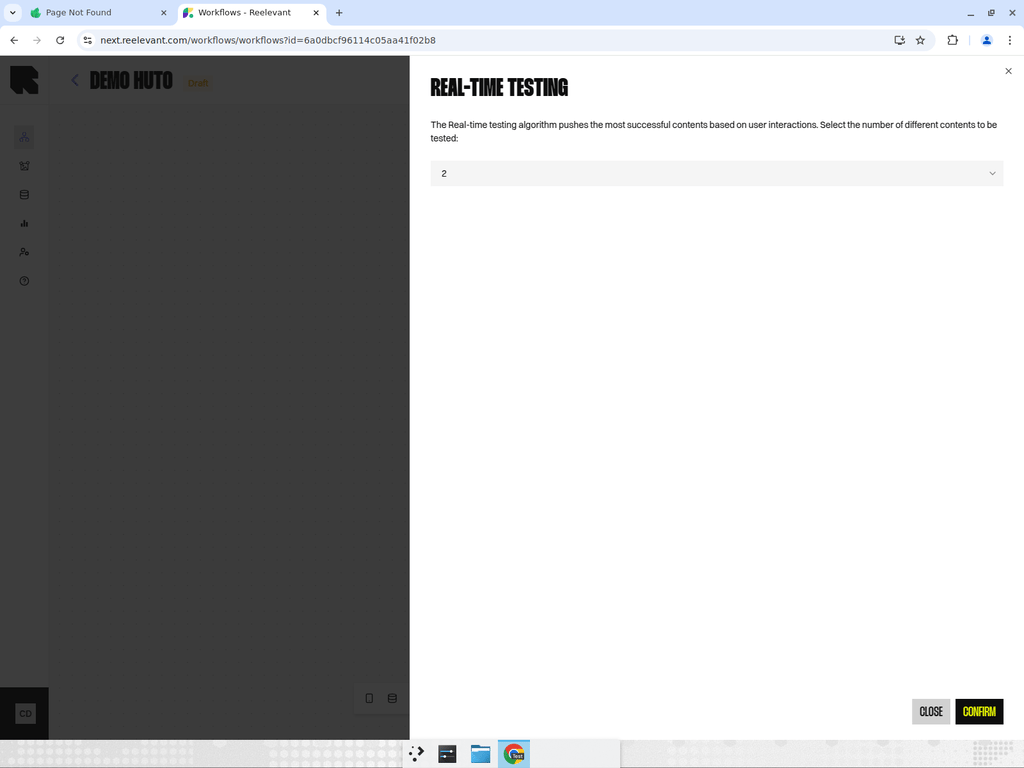
Real-time testing automatically distributes traffic across content variants and optimises allocation over time. Unlike a static [Split](/product-guide/workflows/logic-nodes/split), real-time testing uses a multi-armed bandit algorithm to shift traffic toward the best-performing variant.
## Configuration
The only setting is the **number of variants** (2 to 10). Select how many content paths you want to test using the dropdown. Each variant becomes a separate branch in the Workflow.
There are no additional parameters to configure. The optimisation runs automatically once the Workflow is live.
## How It Works
1. Traffic is initially distributed evenly across all variants.
2. As users interact with each variant, the system collects performance data.
3. The multi-armed bandit algorithm gradually shifts traffic toward higher-performing variants.
4. Over time, the best variant receives the majority of traffic.
Unlike a fixed A/B test, real-time testing continuously adapts. There is no manual "end date" or "confidence threshold" to set — the algorithm balances exploration (testing underexposed variants) with exploitation (favouring winners) automatically.
## Best Practices
* Use real-time testing when you want the system to find and favour the best-performing variant without manual intervention.
* Start with 2–3 variants for faster convergence. More variants require more traffic to identify a winner.
* Monitor results in the Workflow's statistics mode to see how traffic is being distributed.
* Combine with [branch categories](/product-guide/workflows/branches) to track variant performance in Analytics.
## Overview
Real-time testing automatically distributes traffic across content variants and optimises allocation over time. Unlike a static [Split](/product-guide/workflows/logic-nodes/split), real-time testing uses a multi-armed bandit algorithm to shift traffic toward the best-performing variant.
## Configuration
The only setting is the **number of variants** (2 to 10). Select how many content paths you want to test using the dropdown. Each variant becomes a separate branch in the Workflow.
There are no additional parameters to configure. The optimisation runs automatically once the Workflow is live.
## How It Works
1. Traffic is initially distributed evenly across all variants.
2. As users interact with each variant, the system collects performance data.
3. The multi-armed bandit algorithm gradually shifts traffic toward higher-performing variants.
4. Over time, the best variant receives the majority of traffic.
Unlike a fixed A/B test, real-time testing continuously adapts. There is no manual "end date" or "confidence threshold" to set — the algorithm balances exploration (testing underexposed variants) with exploitation (favouring winners) automatically.
## Best Practices
* Use real-time testing when you want the system to find and favour the best-performing variant without manual intervention.
* Start with 2–3 variants for faster convergence. More variants require more traffic to identify a winner.
* Monitor results in the Workflow's statistics mode to see how traffic is being distributed.
* Combine with [branch categories](/product-guide/workflows/branches) to track variant performance in Analytics.