

Before you begin
Confirm that the company’s Analytics configuration exposes the measures and period semantics required by the intended analysis. Reports cannot compensate for missing identity, purchase, attribution, or Workflow activity data. Read the Product Guide for the report creation and follow-up experience.Report types
Manual reports preserve the original requester. Every follow-up section also records the user who requested it.
Automatic reports record the platform as the original requester. A manual retry records the user who requested that retry without replacing the original attribution.
Configure an automatic report
Platform administrators with permission to manage Analytics Settings can create an automatic report under Analytics > Settings > Automatic reports.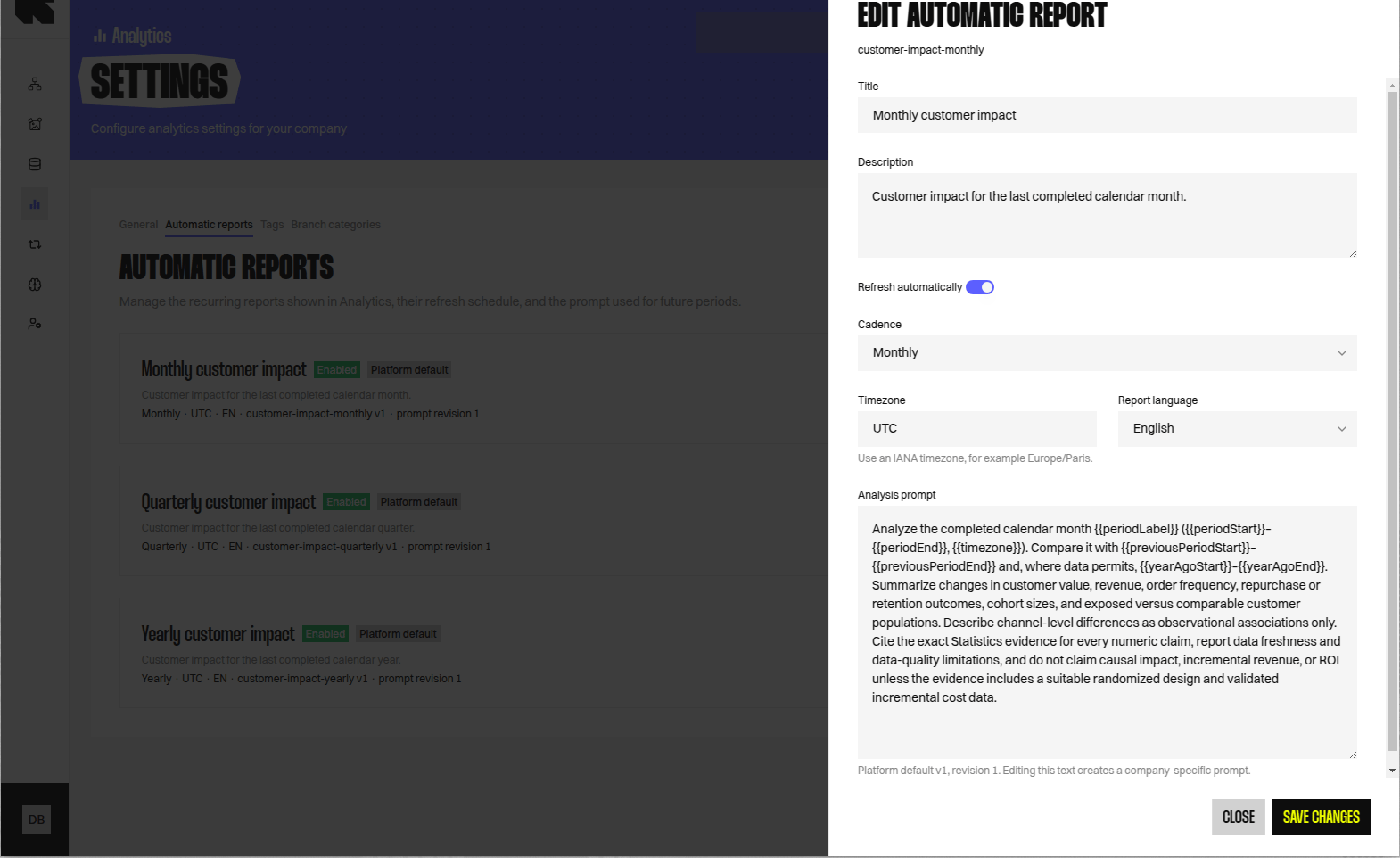
New settings show the platform default prompt for the selected cadence. Editing that text creates a company-specific prompt revision.
Use Reset to platform default to adopt the current default again. Review the complete default before resetting because platform defaults can evolve during beta.
Disabling a setting stops future period generation. It does not remove the setting or its existing report history.
Write a reliable prompt
A strong automatic prompt defines the period question without hard-coding period dates. The platform supplies the completed period and its comparison boundaries. Include:- the business question and intended reader;
- the measures that must be evaluated;
- required comparisons, such as the previous period;
- requested breakdowns by Channel, Workflow, or another supported dimension;
- expected limitations when evidence is unavailable;
- a requirement to avoid unsupported causal claims.
Period history and states
Automatic report pages show the current report and immutable historical periods. A period retains its evidence, completed sections, generation failures, and requester attribution.
A successful generation supersedes an earlier unresolved failure in the displayed state. Failure history remains available for diagnosis.
Evidence and interpretation
Treat the generated narrative as an interpretation of captured Analytics evidence, not as an independent source. Verify tables, charts, methodology, freshness, and limitations before presenting conclusions. For period analysis, confirm that measures describe the requested period rather than lifetime-to-date values. For monetary findings, confirm that the currency matches the company’s stored revenue data.Evidence can support association without proving causation. Use Exposed Population and Non-Exposed Population terminology, and reserve causal claims for a suitable randomised design.
Retry and blocked reports
Retry is available only when the report’s current state authorises another generation. The interface uses that current eligibility rather than the historical failure classification alone. A retry reuses the failed question and generation type. It preserves existing evidence and failure history, and prevents duplicate concurrent retries. Do not retry a blocked automatic report without changing its prompt or Analytics configuration. An unchanged retry will reproduce the same unsupported request. For a failed report:- Read the displayed failure or blocked reason.
- Check whether the required measures and dataset capabilities are available.
- Correct the prompt or Analytics configuration when the request is unsupported.
- Use Retry only when the report authorises it.
- Confirm that the new section is evidence-backed before treating the period as complete.
Related guidance
Reports Product Guide
Create manual reports, ask follow-up questions, and read report sections.
Measures and Dimensions
Check the available Analytics measures and dimensions.
Attribution
Review how monetary results are attributed to Reelevant interactions.