

Overview
A Datagraph Object Family is an output contract shared by several Datagraph Objects. It lets several Objects — one per country, per brand, or per recommendation algorithm — be interchangeable for the consumer that reads them. Open DataHub → Datagraph → Object families — Define output contracts shared by a set of objects. The listing shows each family with its Name, the number of Fields in the contract, the number of member Objects, its Status (Draft or Live), and Last update. Create family opens a new Draft.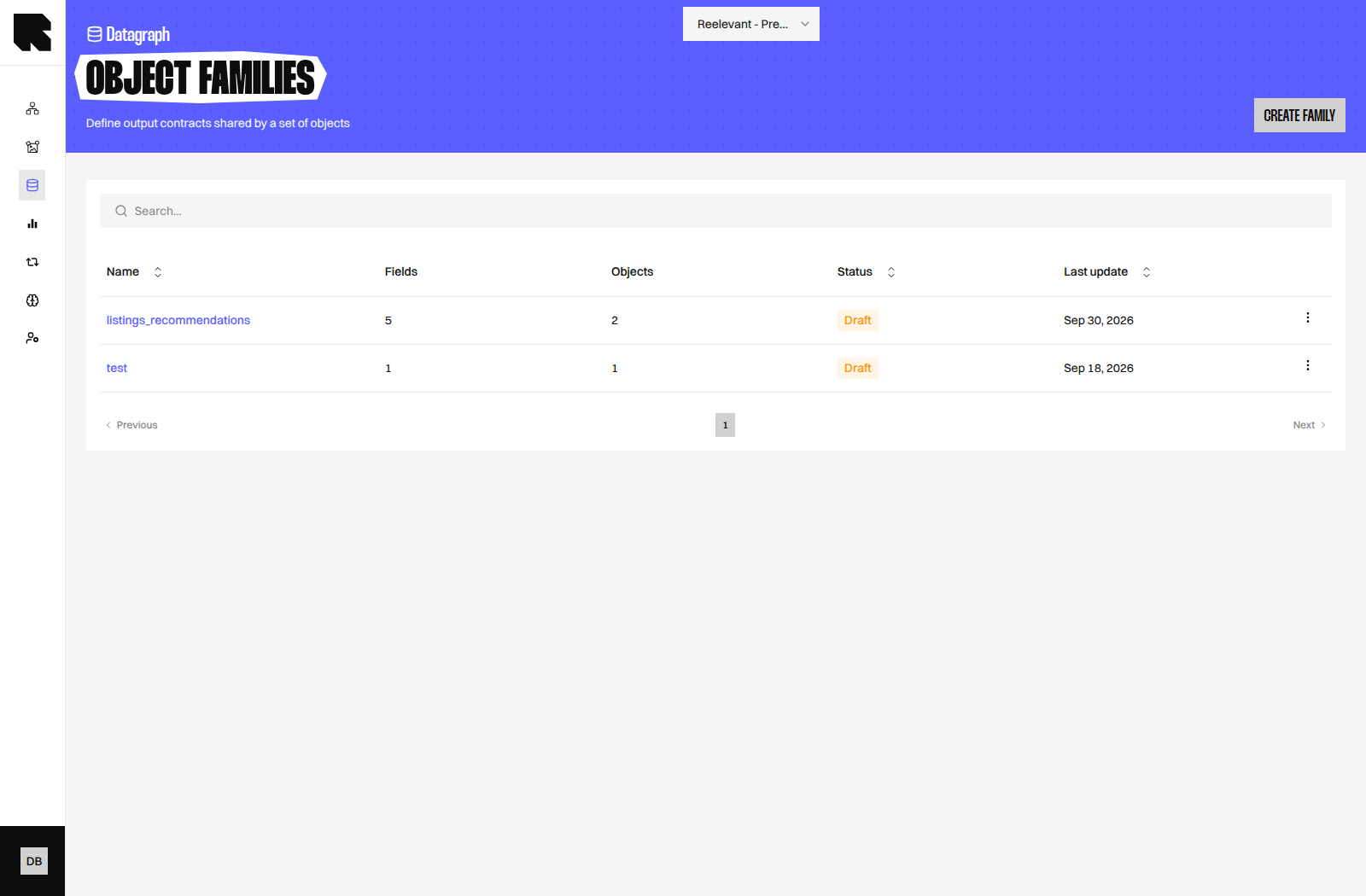
Before You Begin
- The Objects you want to bind must exist and have a Live version before you publish the family. See Datagraph Objects.
- Creating and editing families requires the Datagraph permission. See Permissions.
Editor Layout
The editor is titled New object family for a new Draft and Object family when you edit an existing family. Its toolbar includes Save, Publish, and a Versions panel.
Below the toolbar, two sections define the contract and its members.
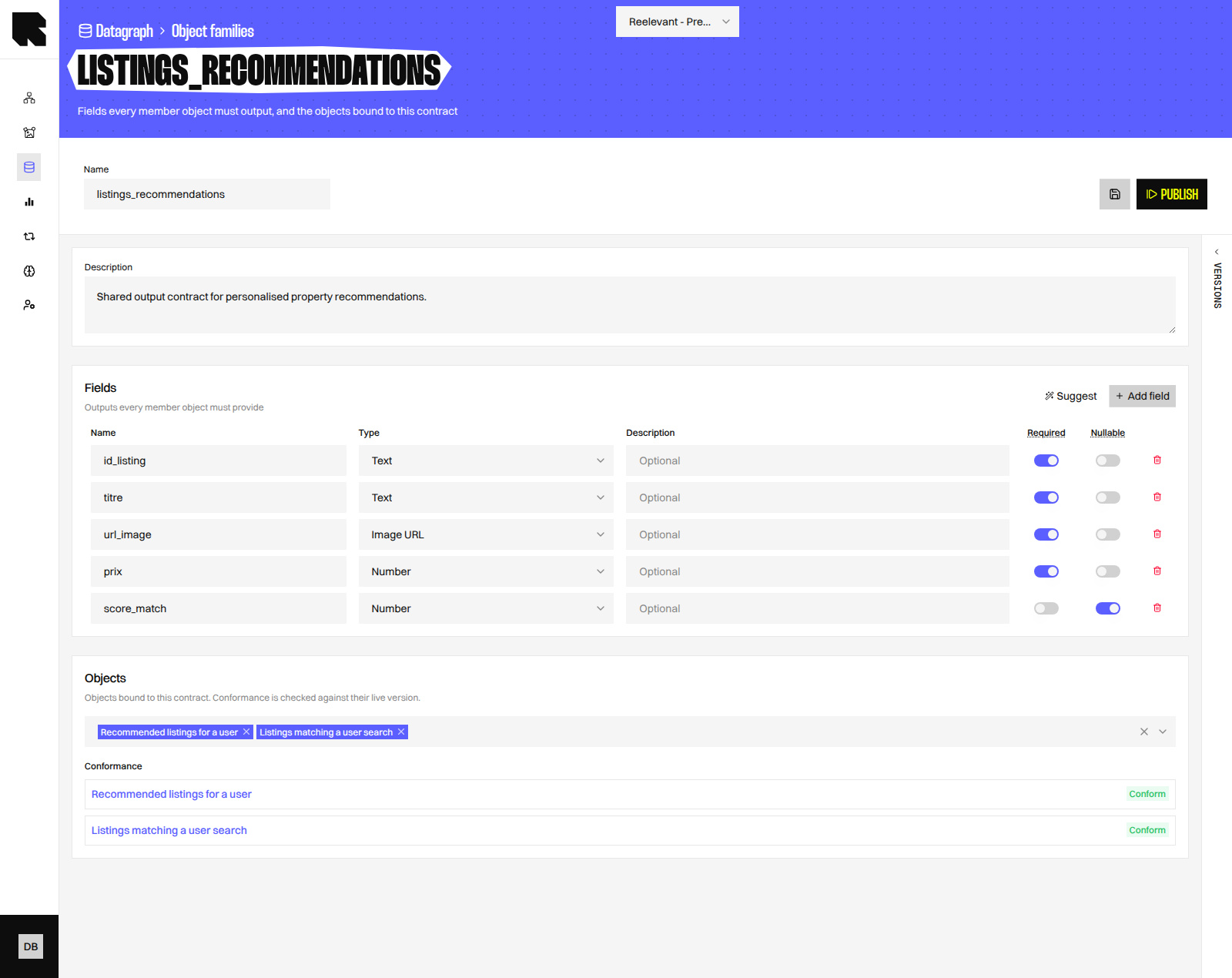
Fields
The Fields section is described as Outputs every member object must provide. Click Add field to declare one. Click Suggest to add output fields from the selected Objects. Descriptions come from the schema, and outputs shared by every Object are marked required.Objects
The Objects section is described as Objects bound to this contract. Conformance is checked against their live version. Select members in Select objects…. Each member then shows its Conformance:
Conformance is checked against the Live version of each Object, so an unpublished change to an Object has no effect until it is published.
Conformance Rules
- A required field must be present in the Object output with a compatible type.
- An optional field may be absent. When present, its type must still be compatible.
- Two types are compatible when identical, or when they share the same primitive —
datetimeanddatetime_isoboth resolve to a date, for example. - Extra output columns returned by an Object are ignored.
The contract is enforced on both sides. Saving or publishing a family fails with Entity group contract violated when a member does not conform. Publishing an Object fails with the same error when its new output would break a Live family it belongs to, and an Object listed in a Live family cannot be deleted.
Worked Example
The property listings model from Datagraph Objects has two Objects that return listings:recommended_listings and listings_matching_search. A Content that displays a listing card needs the same columns whichever Object the Workflow selects.
Bind both Objects to an Object Family named
listings_recommendations. Each shows Conform when its Live SQL returns the four required columns, and the Workflow can switch Objects without changing the Content. The same pattern applies to one recommendation Object per algorithm in a retail model.
Saving and Publishing
Save validates the definition — a non-empty name, at least valid field names and types, and existing member Objects — then stores the Draft. Unsaved changes appears in the toolbar until you save. Click Publish to promote the Draft to Live. The Publish object family dialog accepts an optional Commit message describing the change. The previous Live version becomes Inactive, and a new Draft copy is created so editing can continue. Publishing requires every member to be Conform; a member with No live version blocks the publication.Versions
Open the Versions panel from the toolbar rail. Each card shows the version state, its field count, the author, and the commit message when one was provided. Click a card to load that definition into the editor — the editor asks for confirmation when you have unsaved changes. Save to make the loaded definition the new Draft.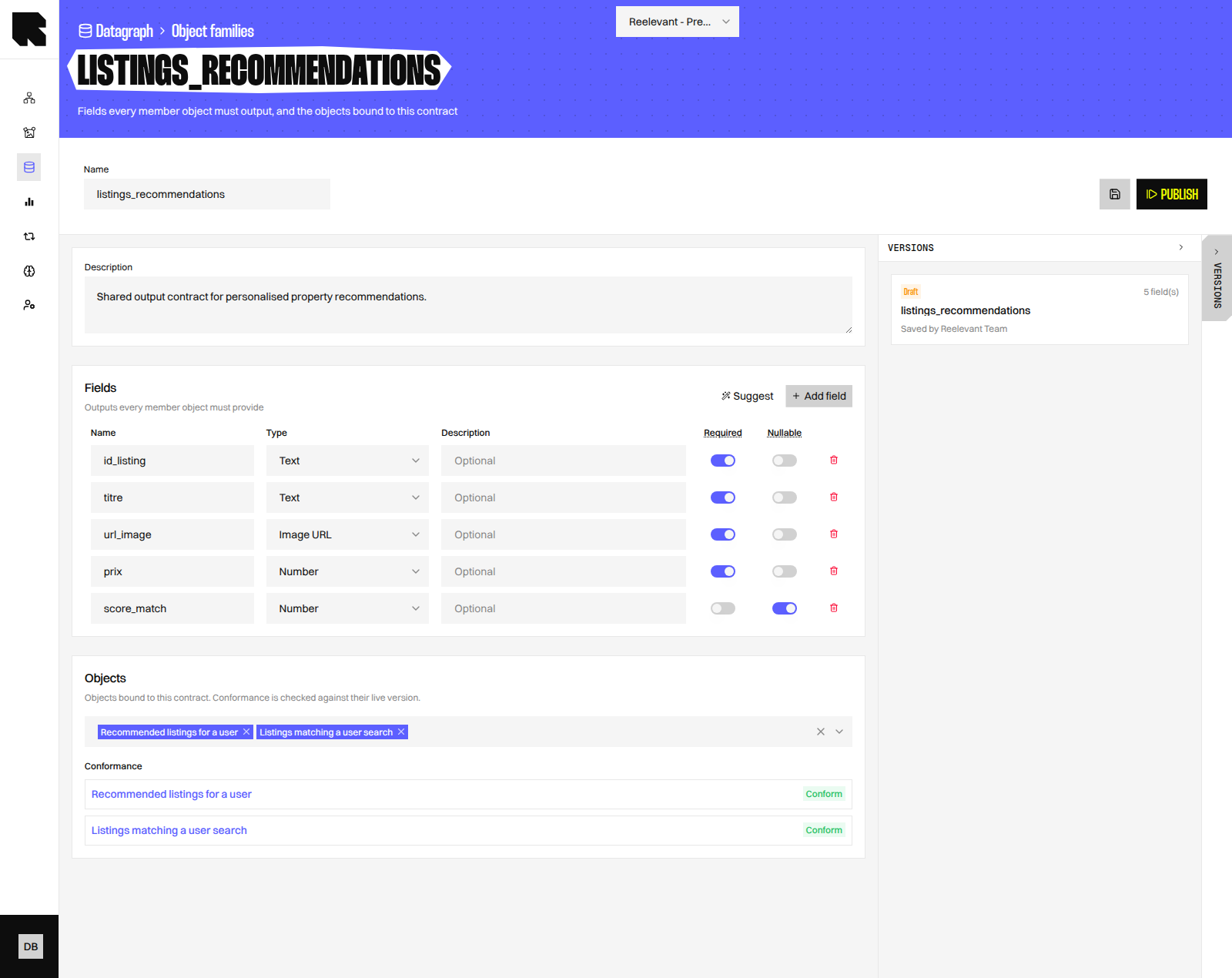
Deleting an Object Family
The Delete object family dialog warns that Contents bound to this family will stop resolving. Deleting a family and its versions cannot be undone. Member Objects are not deleted.Using an Object Family in Contents
An Object Family can provide interchangeable data to Contents. Add it as a Content source, then bind fields from its shared contract.What’s Next?
Objects
Write the SQL and publish the Objects that belong to a family.
Schema
Add the columns and relations your SQL needs.
Datagraph Object
Consume a published Object in a Workflow.
Permissions
Grant the Datagraph permission to your data team.