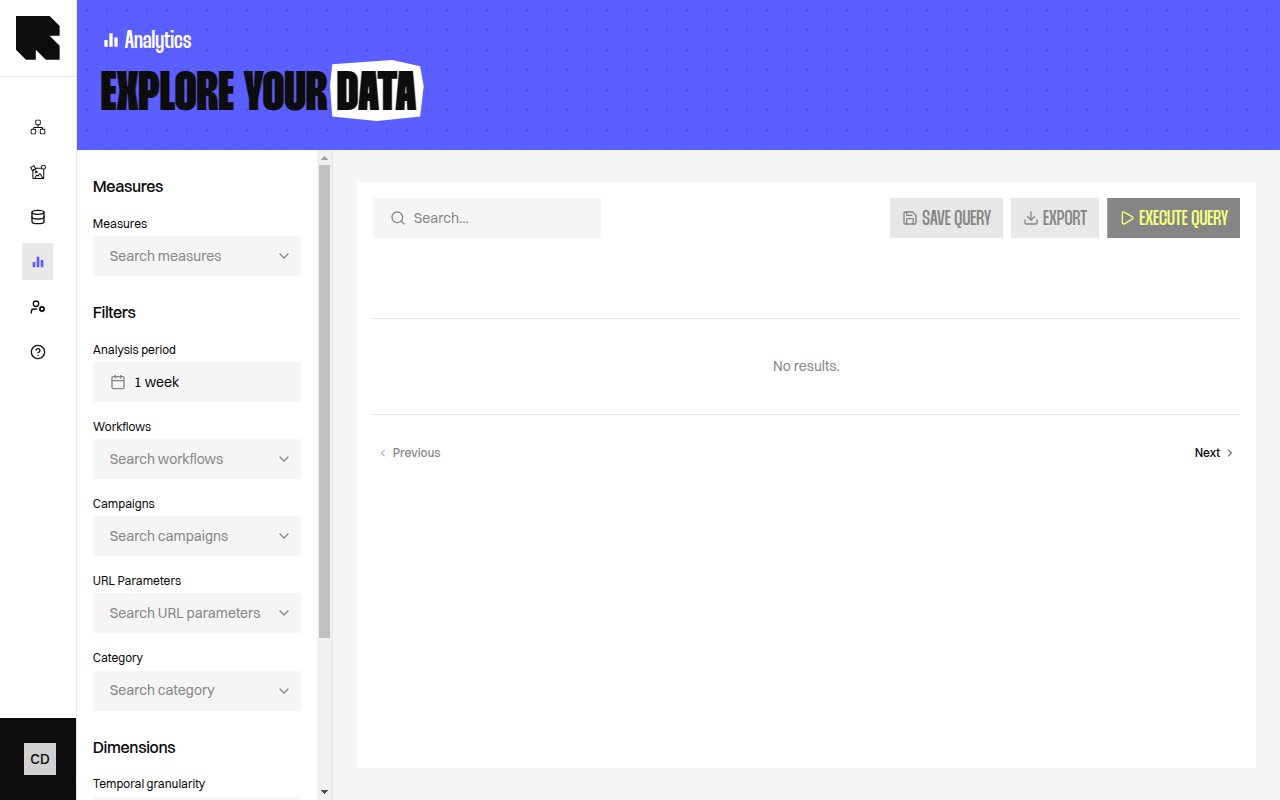
Overview
The Data Exploration page lets you build custom analytics queries to explore your data beyond the pre-built dashboards. Combine measures, dimensions, and filters to answer specific business questions.
Query Builder
The query builder has several configuration sections:
Measures
Select the metrics you want to analyze:
| Control | Description |
|---|
| Measures | Search and select one or more measures from the available list. |
Dimensions
Group your data by one or more attributes:
| Control | Description |
|---|
| Dimensions | Search and select dimensions to group results by. |
| Dimension | Description |
|---|
| Workflow Name | Group by workflow. |
| Content Name | Group by content template. |
| Device Type | Group by device (desktop, mobile, tablet). |
| Device OS | Group by operating system. |
| Email client | Group by email client. |
| Is Individualized Content | Distinguish personalized vs. default content. |
| Visual Zone Number | Group by visual zone position. |
| Visual Zone Type | Group by channel type. |
| Workflow Branch | Group by workflow branch path. |
| Category | Group by branch category. |
| URL Parameter Value | Group by URL parameter values. |
| Workflow Team / Content Team | Group by resource group. |
Temporal Granularity
| Control | Description |
|---|
| Temporal granularity | Select the time bucketing — Day, Week, Month, or Quarter. |
Filters
All dashboard filters are available — Workflows, Campaigns, URL Parameters, Category, and Analysis period.
Executing a Query
Click Execute query to run the query. Results appear in a table below the builder.
If your query has changed since the last execution, a warning banner appears: “Your query has changed since these results were generated. Run it again to refresh the data.”
Result Warnings
The results table may show contextual warnings:
- Workflow Branch dimension — “Don’t forget to use other dimensions such as ‘Content Name’ or ‘Workflow Name’ if pertinent in your analysis.”
- Mixing event types — “You are mixing workflow events measures and from purchase events dimensions. This should be avoided.”
- URL Parameter Value without filter — “You are using the dimension ‘URL Parameter Value’ without filtering on a specific parameter.”
Saving a Query
Click Save query to save the current query configuration for reuse. See Saved Queries for details on scheduling and email delivery.
