

What is the Browser Extension?
The Reelevant Browser Extension is a Chrome and Edge extension that helps you integrate workflows with your website. It provides a side panel for browsing workflows, retrieving integration URLs, and configuring on-site integrations through a content script that runs on your pages.Key Features
Installation & Setup
1
Install the extension
Install the Reelevant extension from the browser store:Once installed, the Reelevant icon appears in your browser toolbar.
2
Log in
Click the extension icon to open the side panel. Sign in with the same credentials you use in the Reelevant app:
- Email and password — enter your Reelevant account email and password.
- SSO — if your organization uses single sign-on, follow the same SSO flow as in the app.
3
Start using the extension
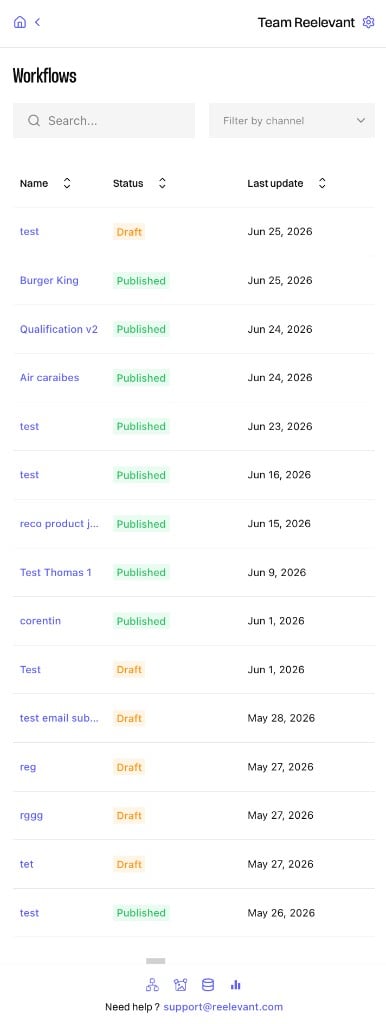
Once logged in, the side panel shows your workflow list. Navigate to the target website to configure on-site integrations or open a workflow to retrieve integration URLs.
Debugging a Workflow from your website
When the extension detects Reelevant content on a page, its toolbox offers Open debugging view. This opens the Workflow run behind that content with its execution details (time spent per Node, data used, errors). The debugging view is protected and only opens with a valid debug token. The extension handles this for you: while you are logged in, the token is attached automatically, so you never need to copy it by hand.If the debugging view answers with an error, check that you are still logged in to the extension, then reload the page.
What’s Next?
Workflows
Browse and view workflow details from the side panel.
Integration Instructions
Retrieve image and redirection URLs for a workflow channel.
On-site Integration
Configure client-side integrations on your website.