

Overview
Attribution explains how much revenue your Reelevant workflows helped generate. It links each purchase back to the content interactions that led to it. A customer often sees or clicks Reelevant content several times before buying. Attribution shares the credit across those interactions, so you can see the real contribution of your personalisation.Reelevant-influenced revenue
Reelevant reports influenced revenue — the revenue Reelevant helped generate, not a claim to own every sale. This wording is deliberate. A purchase usually involves several marketing efforts, so Reelevant credits its share of the outcome rather than the whole sale.Compare Influenced Revenue and Direct Revenue side by side to see how much value your early interactions add beyond the final one.
Attribution models
An attribution model decides how credit is shared between the interactions that led to a purchase. You choose one model in Analytics Settings.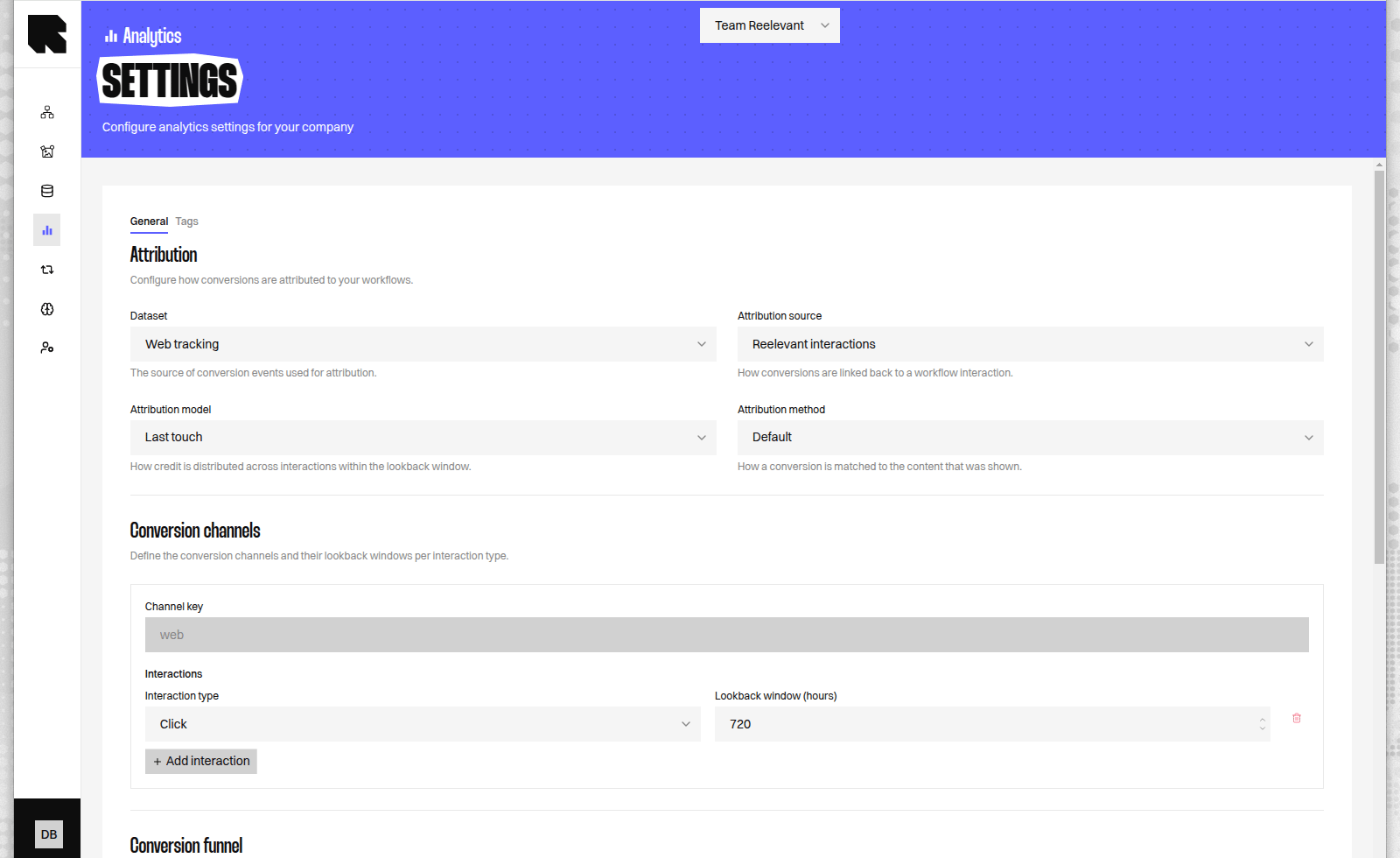
Worked example
Imagine a customer interacts with Reelevant content three times, then buys for 100.Attribution method
Default credits any qualifying interaction from the customer. Same reference ID credits an interaction only when the purchased product’s reference ID matches a product shown in the Content. Product IDs come from the Output Node’s Datasource metadata. For a product recommendation Workflow, choose Same reference ID when you want credit only after the customer buys a recommended product.Purchase time precision
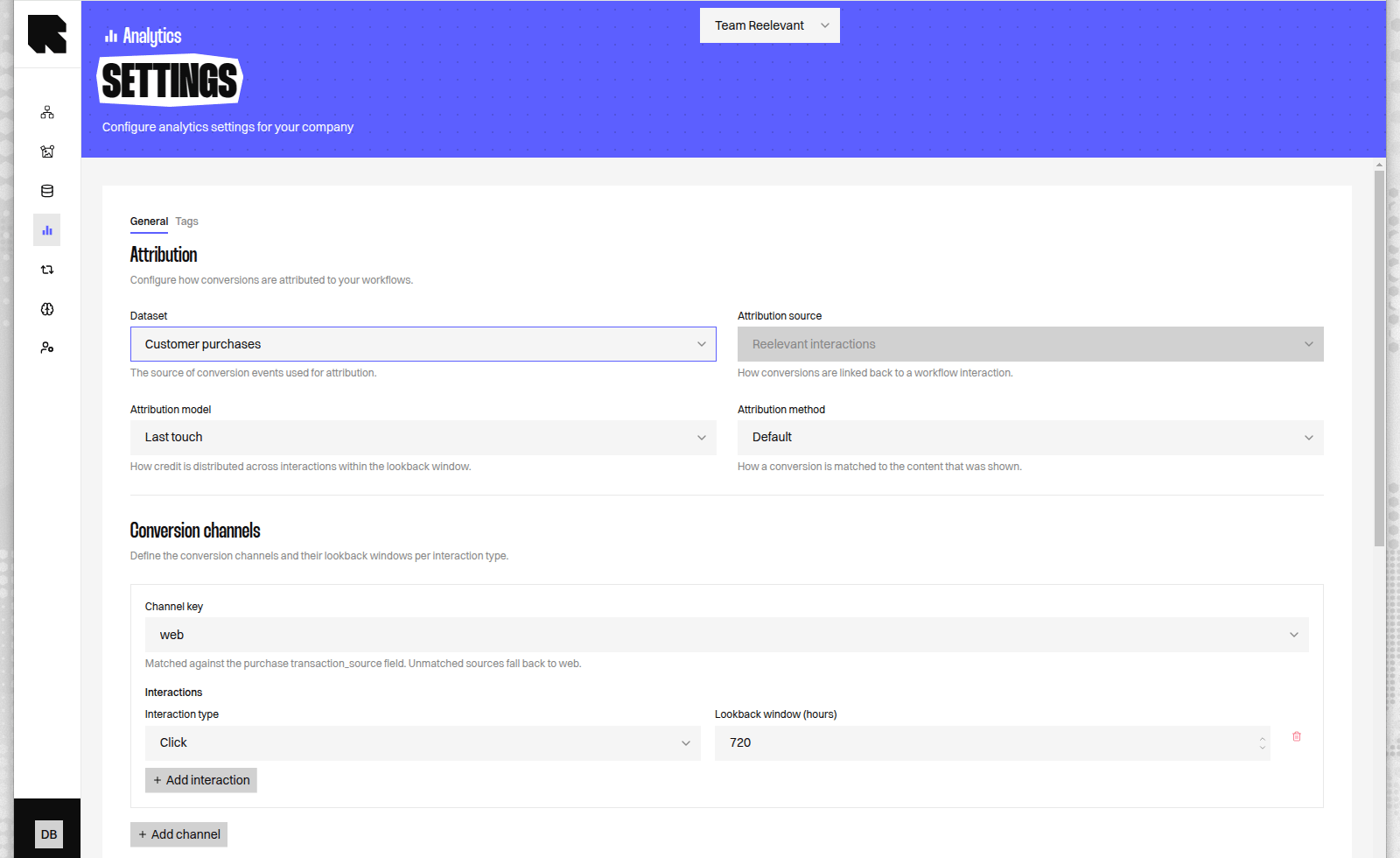
With Customer purchases, Date and time requires an interaction to precede the purchase timestamp. Choose Date only when purchase records contain a date but no time, so every purchase is recorded at midnight. It can credit interactions through the end of that day, while the lookback window still starts at midnight. For example, use Date only for store receipts exported without times. Keep Date and time for real timestamps; Date only could credit a click made after a morning purchase. Web tracking always uses Date and time.The lookback window
The lookback window is the time before a purchase during which an interaction can earn credit. An interaction that happened outside this window is not credited. You can set a different window for each interaction type:
A display view is a weaker signal than a click, so it uses a shorter default window. You can change either window to match how your customers behave.
Where the data comes from
Reelevant can measure attribution from two sources. You pick the one that fits your setup in Analytics Settings.Both sources support click and view-through attribution, so you get the same models and measures whichever one you choose.
UTM-based attribution
When you use Web tracking, you can attribute conversions across the UTM tags in your landing-page links instead of Reelevant interactions. Each distinct UTM combination before the purchase becomes an interaction and earns a share, using the same models above. This spreads credit across every marketing effort in the customer’s path — for example email, paid search, and social. You choose which UTM tags define an interaction. By default Reelevant groups byutm_source and utm_medium.
Keep Source and Medium for a channel-level view. Add Campaign when you want to compare individual campaigns.
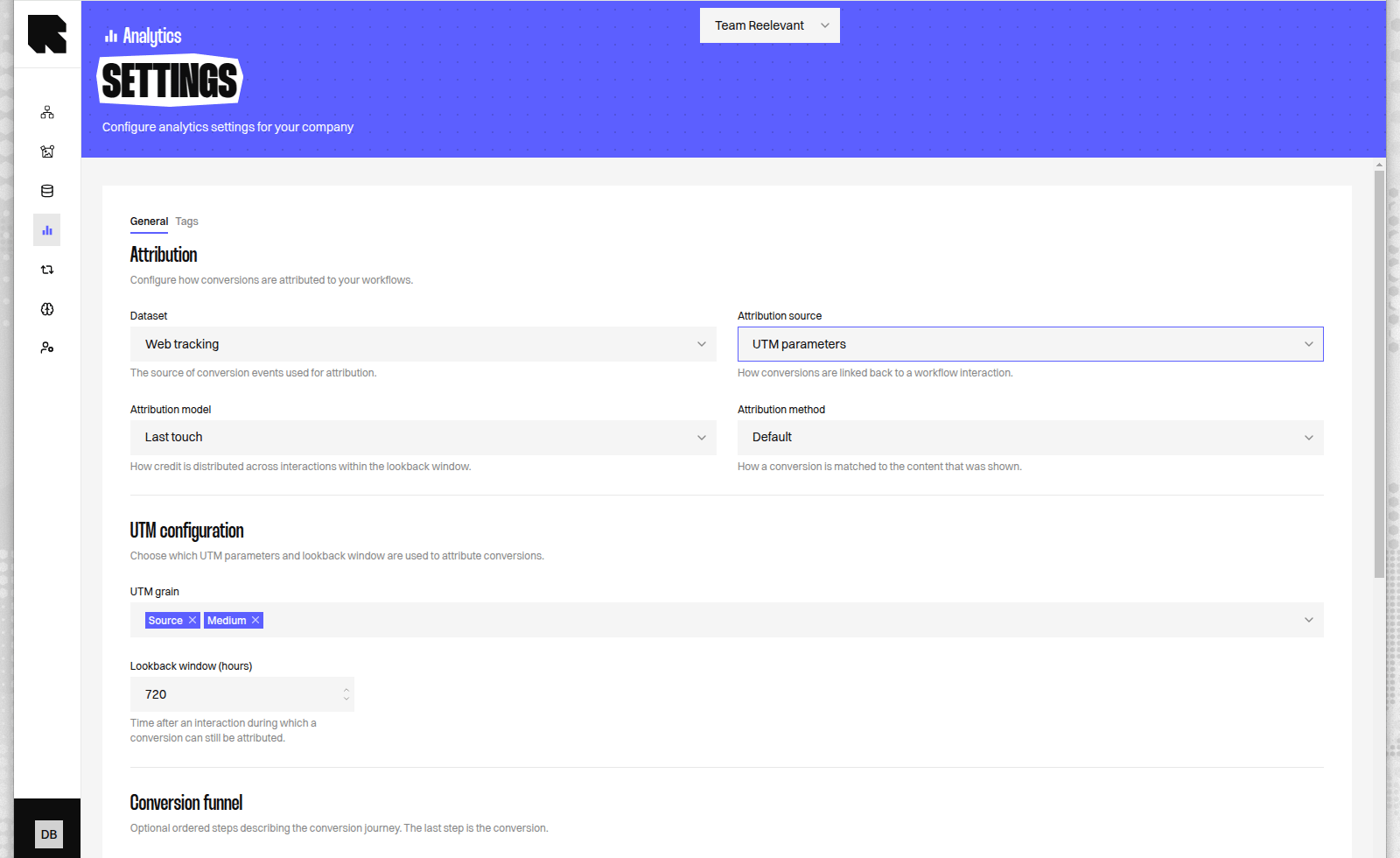
UTM-based attribution is only available with Web tracking, because it reads the UTM tags Reelevant captures from your landing-page links.
Beyond purchases
Attribution is not limited to online shopping. You can define your own stages — for examplesignup_start then signup_complete — and Reelevant credits the last stage as the conversion.
This lets you measure any goal that matters to you, not only sales.
What’s Next?
Analytics Settings
Choose your attribution model, lookback windows, and data source.
Conversions Dashboard
See influenced revenue and conversions from your campaigns.
Measures and Dimensions
Review the measures available for your analysis.