

Create a service account
Use a service account when an integration needs its own access. A role and at least one Team control what it can use.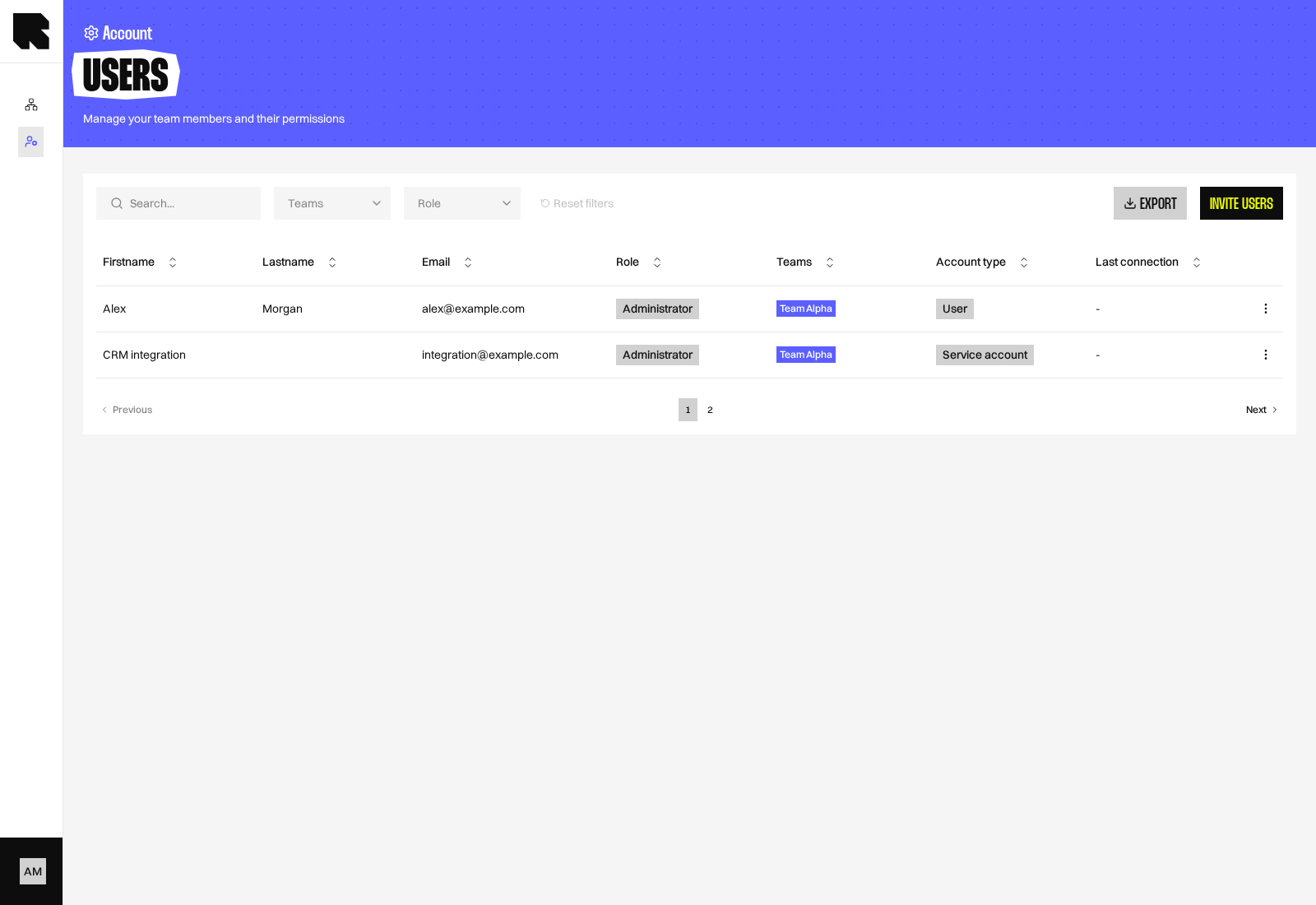
1
Open the invitation
Go to Account > Users, then select Invite users.
2
Choose the account type
Select Service account in the Account type step.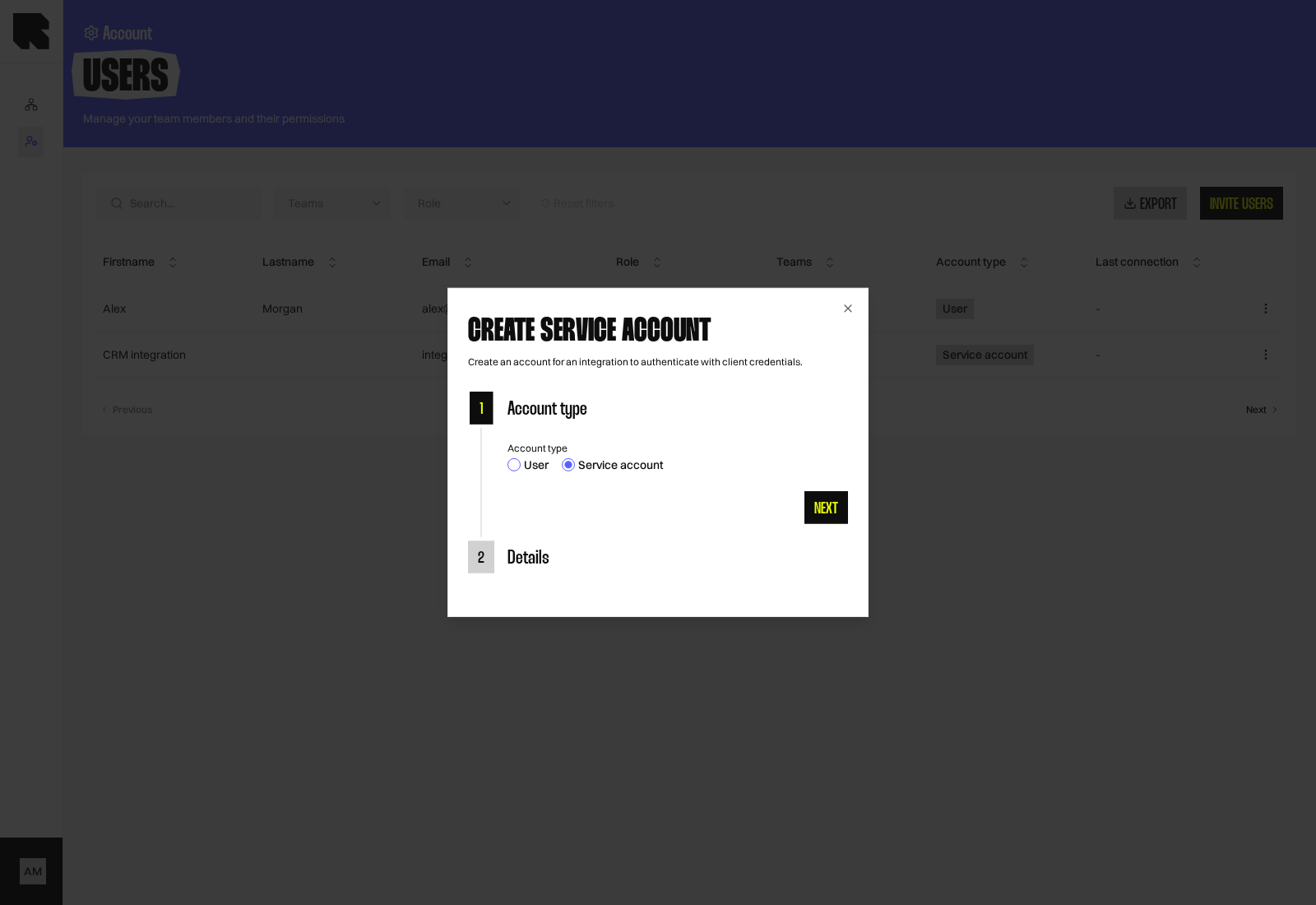
3
Enter account details
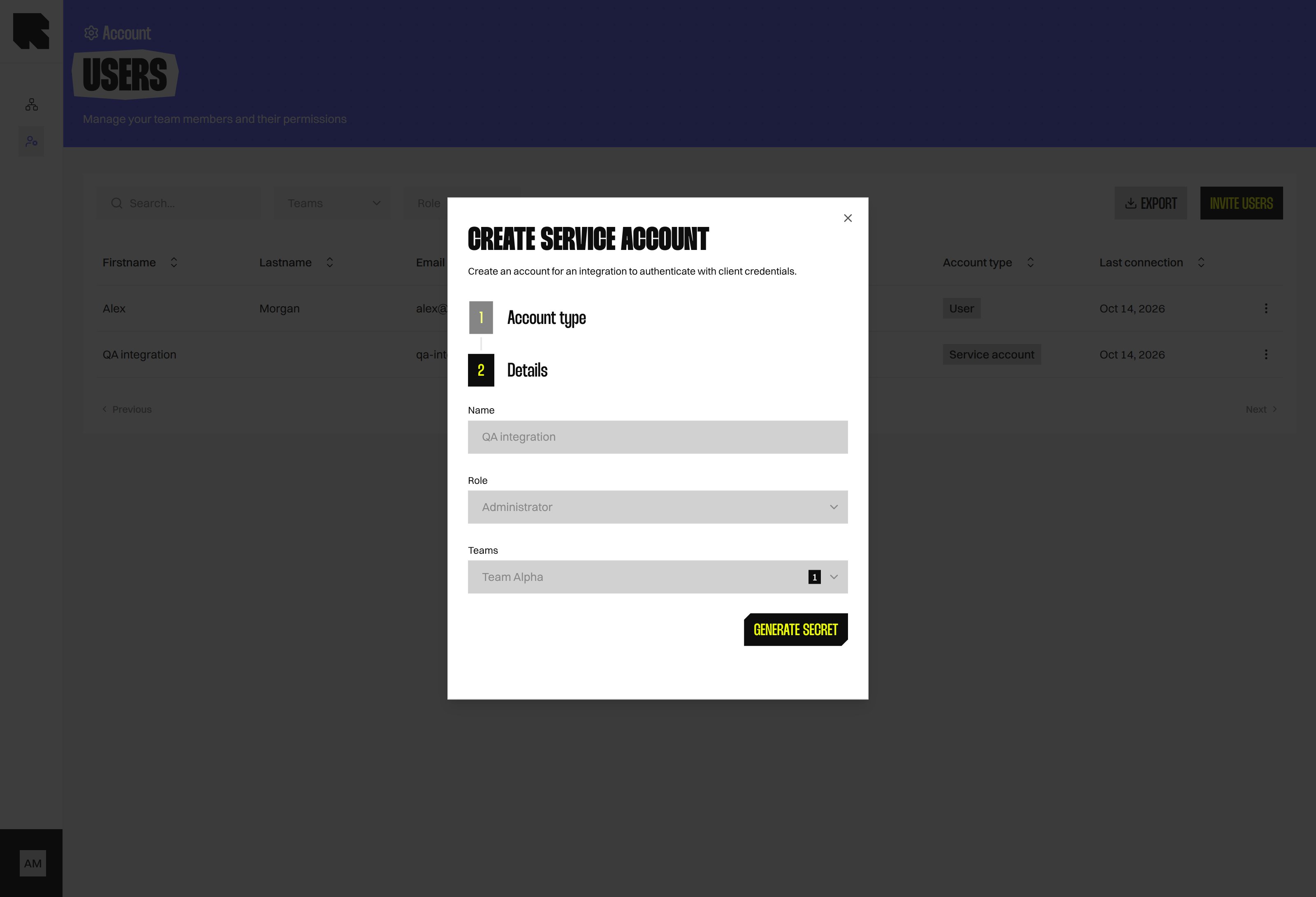
Enter a Name, choose a Role, and select at least one Team. Choose a role that grants only the access the integration needs.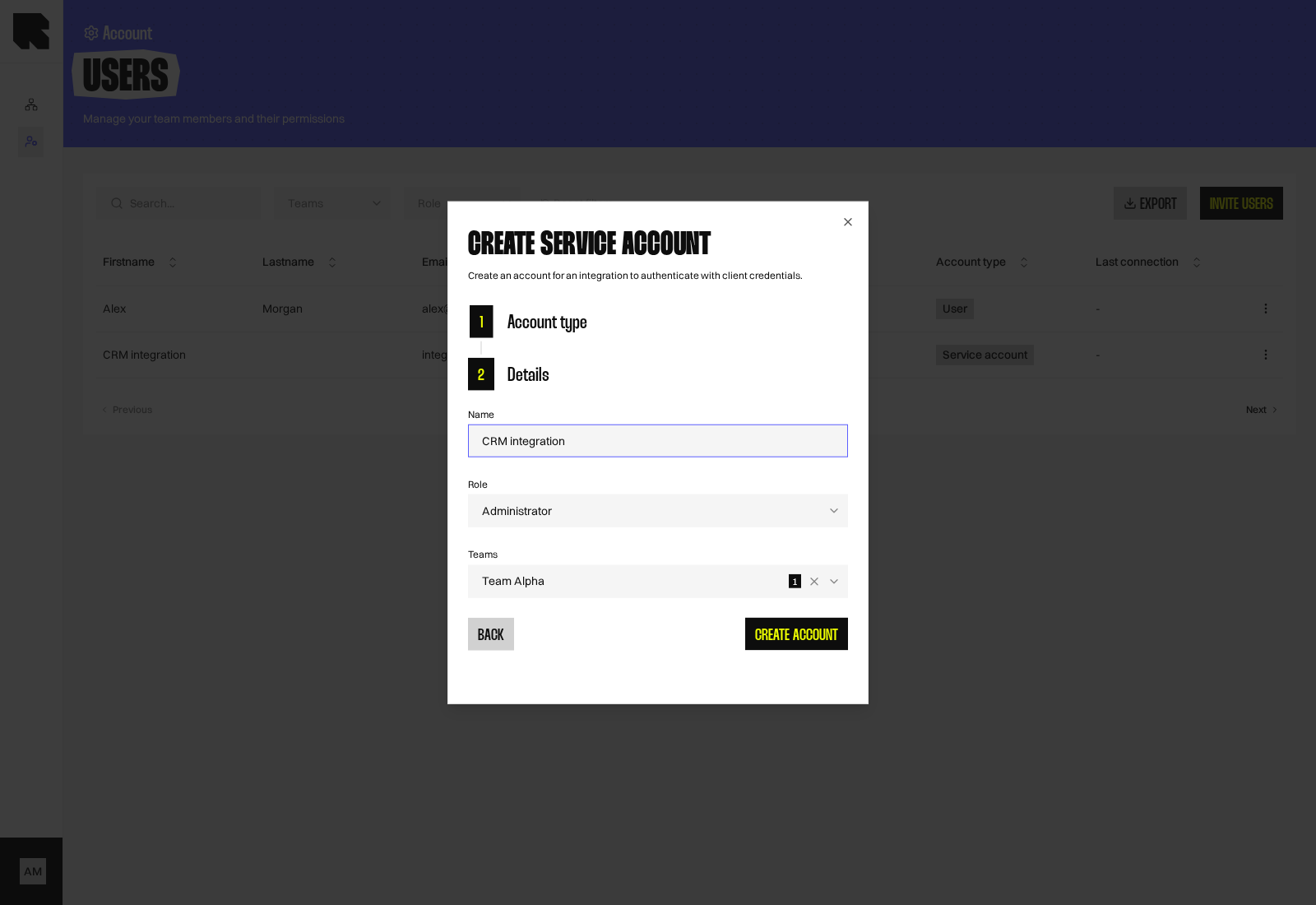
4
Create the account and save its credentials
Select Create account. Reelevant creates the account and its first secret automatically.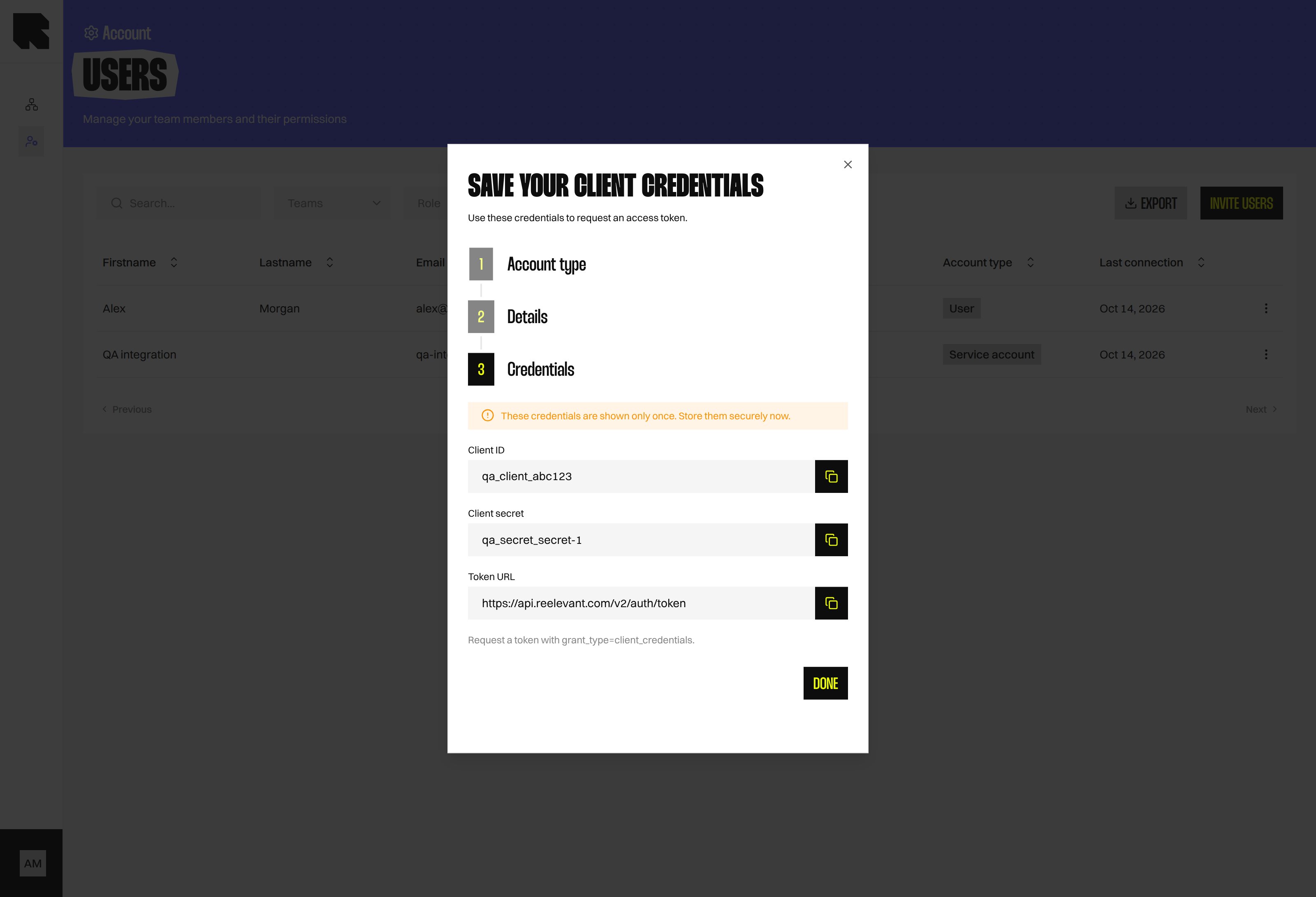
Manage client secrets
Select Manage client secrets from the service account row’s actions menu. The drawer shows each secret’s label, status, creation date, and last use.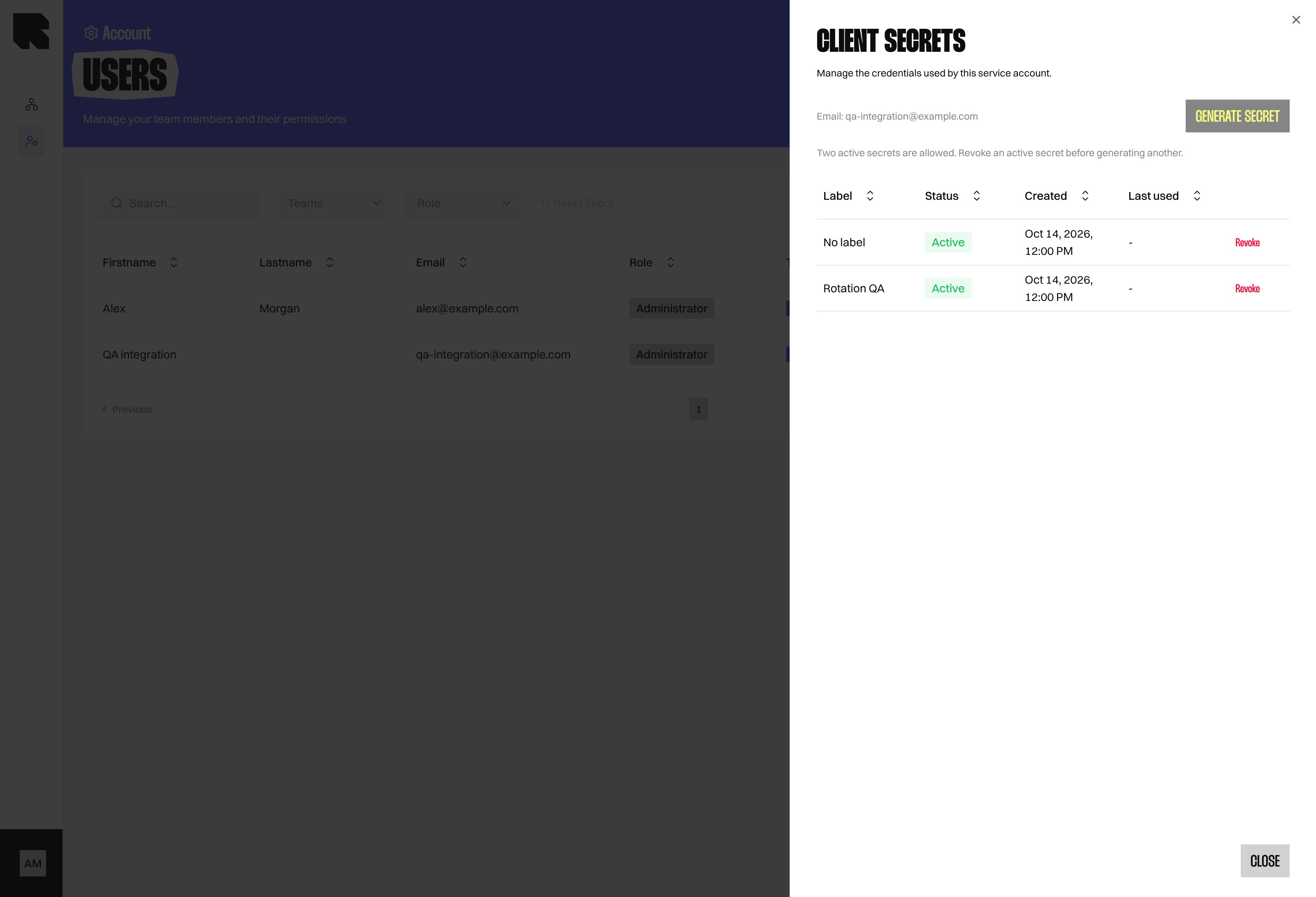
What’s Next?
Users
Review user accounts, roles, and Teams.
Roles
Choose which actions a service account can perform.