

Overview
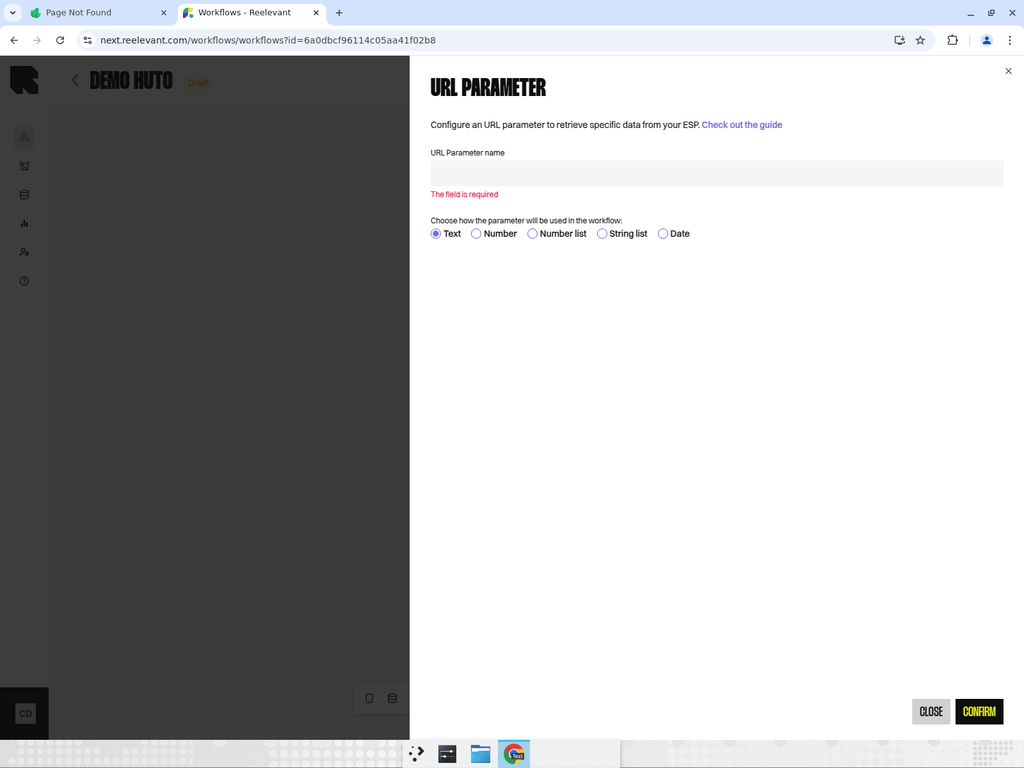
The URL Parameter node captures a value passed via the URL when the workflow is executed. This is useful for passing context from your ESP (email service provider), website, or any integration that triggers the workflow via URL. Configuration:- Parameter name — The URL query parameter to read (e.g.,
product_id,campaign_date). - Date format — If the parameter contains a date, specify the expected format for proper parsing.
Common Use Cases
- Pass user IDs from your email service provider to personalize content per recipient.
- Pass campaign identifiers to customize content based on the campaign context.
- Pass product IDs or category names from your website to show relevant recommendations.
Best Practices
- Use Variable profiles to pre-configure URL parameter templates for different integrations.
- Always document the expected parameter names and formats in your workflow description.
- Consider using a date format when passing dates to ensure proper parsing across locales.