

Overview
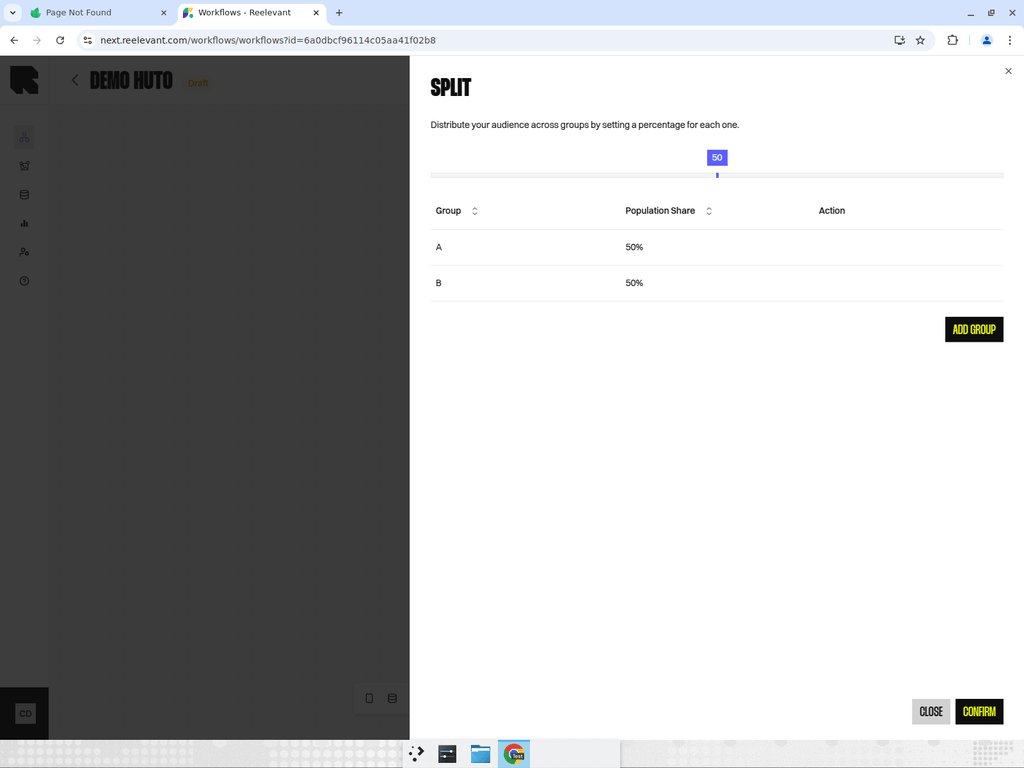
Split nodes divide traffic into multiple branches based on population share percentages. This is used for A/B testing or multivariate testing.Configuration
- Groups — Define two or more groups, each with a name and a percentage of total traffic.
- Action — Specify what happens for each group.
- The total percentage across all groups must equal 100%.
Example
| Group | Population Share |
|---|---|
| Variant A | 50% |
| Variant B | 30% |
| Control | 20% |
How It Works
When a user triggers the workflow, the split node randomly assigns them to one of the groups based on the configured percentages. The assignment is deterministic per user — the same user will always follow the same branch.Best Practices
- Always include a control group (e.g., 10-20%) to measure the impact of personalization.
- Name your groups descriptively (e.g., “Product Recommendations” vs “Best Sellers” rather than “Variant A” vs “Variant B”).
- Run tests for a sufficient duration to achieve statistical significance before drawing conclusions.
- Use branch categories to tag split branches for analytics.