

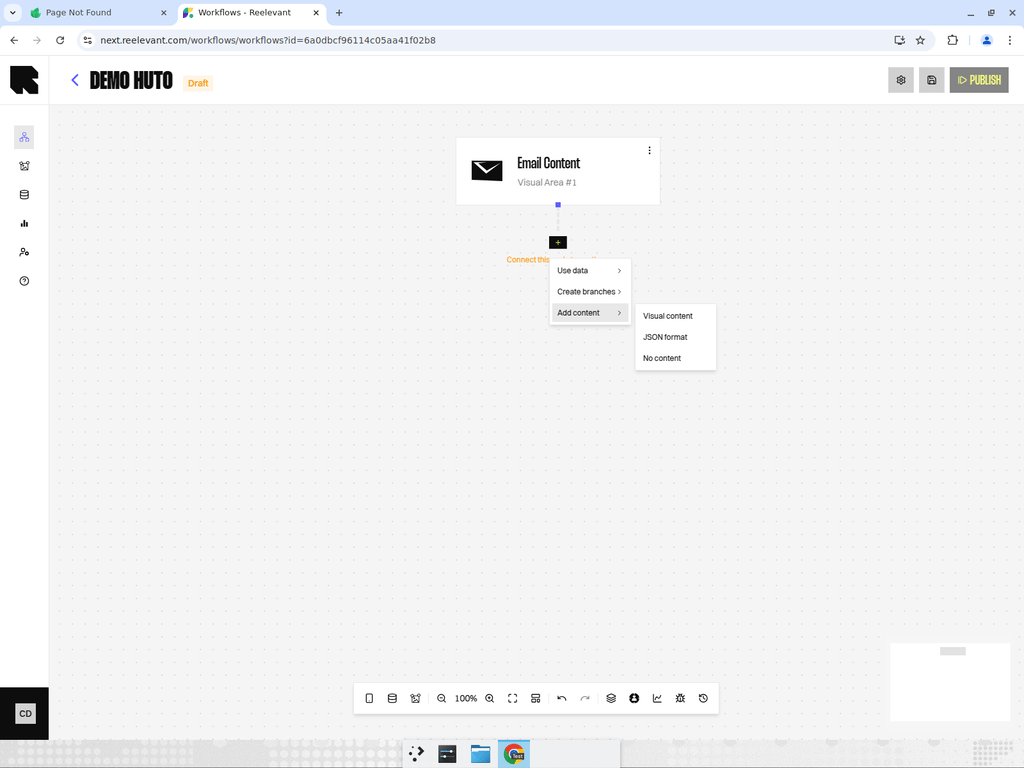
What are Output Nodes?
Output nodes are the terminal nodes of a workflow branch. Every branch that starts from a channel must end with an output node that defines what content is returned to the user.Output Node Types
Visual Content
Render a visual template designed in the Content Editor.
JSON Template
Return a structured JSON payload using a pre-defined template with dynamic variables.
JSON Format
Return a raw JSON payload for headless integrations.
Empty
Return an empty response for control groups or fallbacks.
Adding an Output Node
Open the output picker
Click the Output button (content icon) in the bottom toolbar. The Content types drawer opens.
Tips
- Every branch must end with an output node for the workflow to be valid and publishable.
- A single workflow can mix different output types across its branches — for example, Content on the main branch and Empty on the control group.
- When selecting a content template, make sure the data available in the branch matches the template’s dynamic variables.