

Overview
Conditions let you show or hide components based on data values at render time. Use conditions to create personalized templates that adapt to each user’s context — for example, showing a different image based on a product category or hiding a section when a field is empty.How Conditions Work
A condition is attached to a component or group in the layers tree. When the content is rendered:- The platform evaluates each condition against the resolved data.
- If a condition is met, the component is displayed in that condition’s state.
- If no condition is met, the default state is shown.
Condition Groups
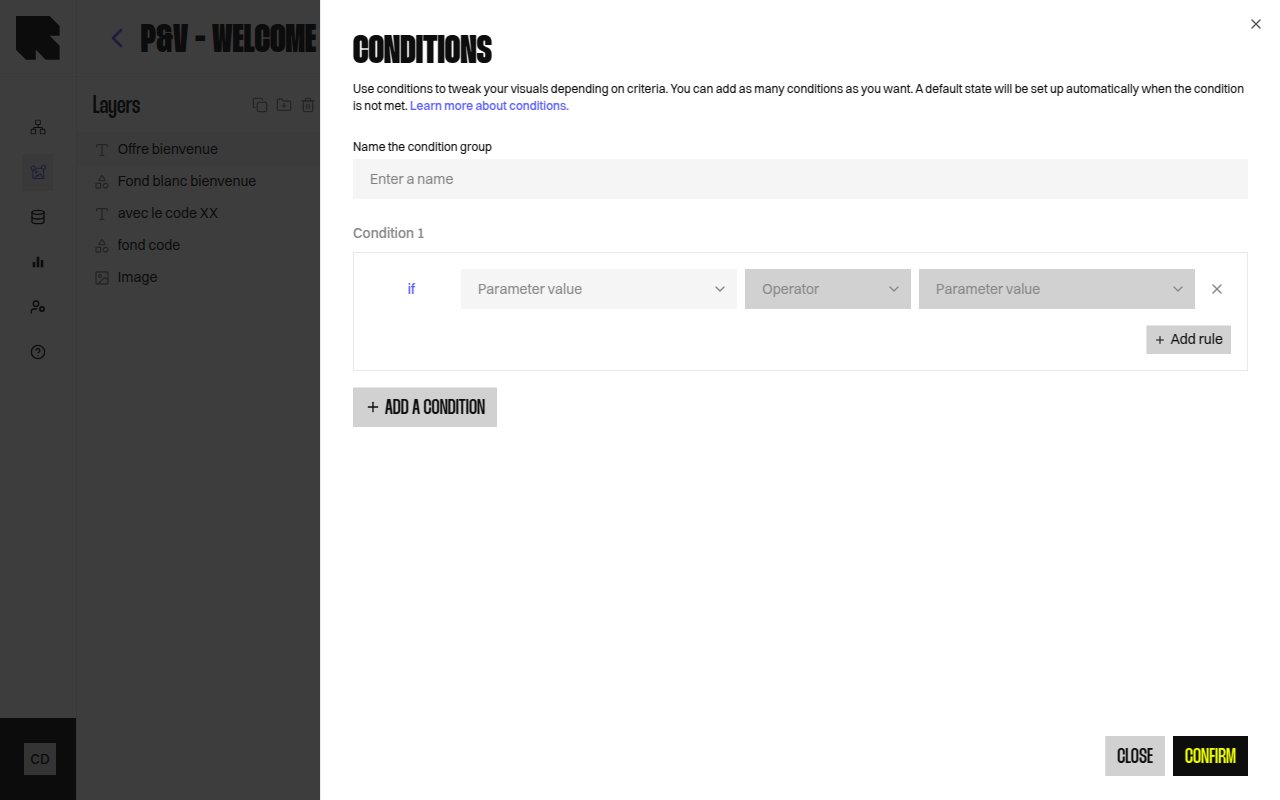
A condition group is a named container for one or more condition rules on a component. Each rule defines a data-driven test (e.g., “product category equals Shoes”).| Property | Description |
|---|---|
| Name | A descriptive name for the condition group. |
| Condition rules | One or more data tests. Each condition creates a separate visual state for the component. |
| Default state | The fallback state shown when no condition is met. |
Creating Conditions
Select a component or group
Click the component in the layers tree or on the canvas.
Add a condition
In the layers tree, right-click the component and select Add condition, or use the condition action in the configuration panel.
Configure the condition rule
Define the data test by selecting a datasource variable and a comparison operator.
Display None Option
You can toggle Display none if condition is false to completely hide the component when no condition is met, instead of showing a default state.Previewing Conditions
Use the condition state dropdown in the layers tree to preview each condition state on the canvas. The dropdown shows:- Condition 1, Condition 2, etc. — each named condition state.
- default — the fallback state.