

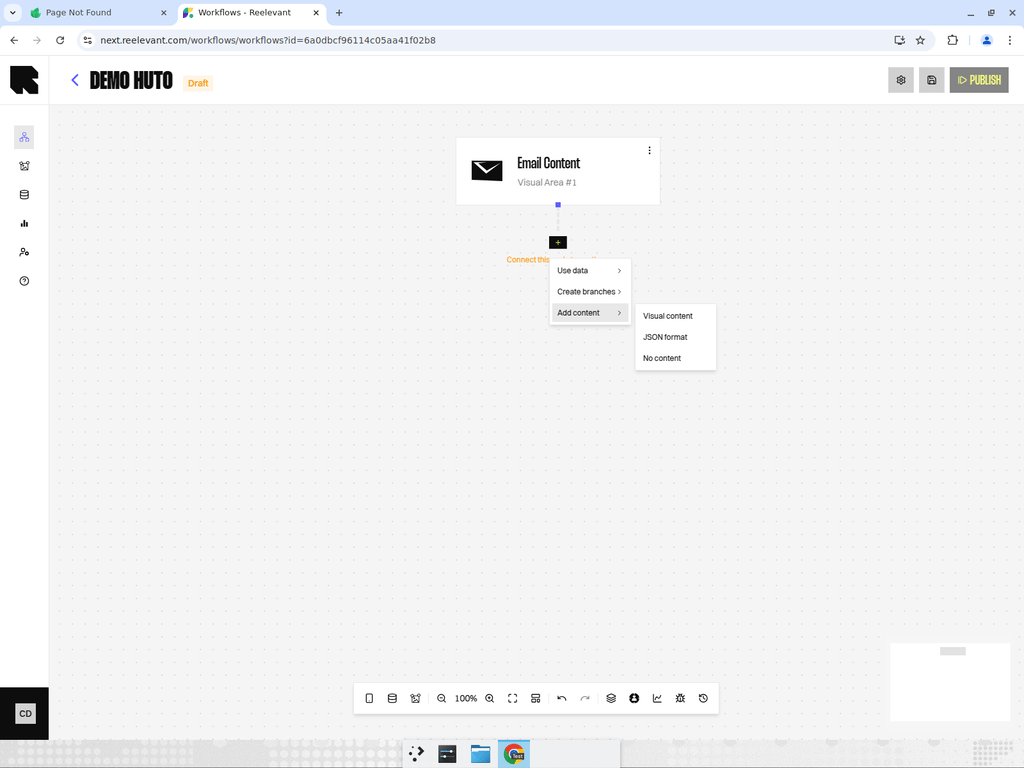
Overview
The JSON Format output returns a raw JSON payload instead of a visual template. This is useful for headless integrations where you want Reelevant to handle the personalization logic but render the content yourself.Use Cases
- Mobile apps that render content natively.
- Custom frontend frameworks that consume JSON data.
- API-driven integrations with third-party tools.
How It Works
When the workflow executes and reaches a JSON Format output node, the engine:- Collects all data from upstream nodes.
- Structures the data as a JSON payload.
- Returns the JSON response to the calling application.
Best Practices
- Document the JSON schema your application expects so workflow designers know what data to include.
- Use Transform nodes upstream to format data exactly as your application needs it.
- Test the JSON output by calling the workflow integration URL directly and inspecting the response.