

When to use it
Choose From a datasource when your CRM already splits customers into random groups, such as a holdout shared across channels. Otherwise, choose Random assignment (recommended). It assigns Variants at random and is the standard way to measure their impact. If other channels also use this field, results measure the combined effect of everything that differs between the groups. This holds only when the other channels do not change who reaches this Workflow.Set it up
- Create an Experiment, or edit a Draft or Ready one, then go to Variants and allocation.
- Keep Randomization unit on Per customer: a Datasource cannot be used with Per display.
- Under Variant assignment, choose From a datasource.
- Under Datasource, choose a published CRM Datasource that contains the customer identifier used by your Workflow. This creates one condition per Variant. Changing it later clears the rules of every condition.
- Under Who gets each variant, add at least one rule (field, operator, value) to each Variant’s condition. Combine rules with and/or.
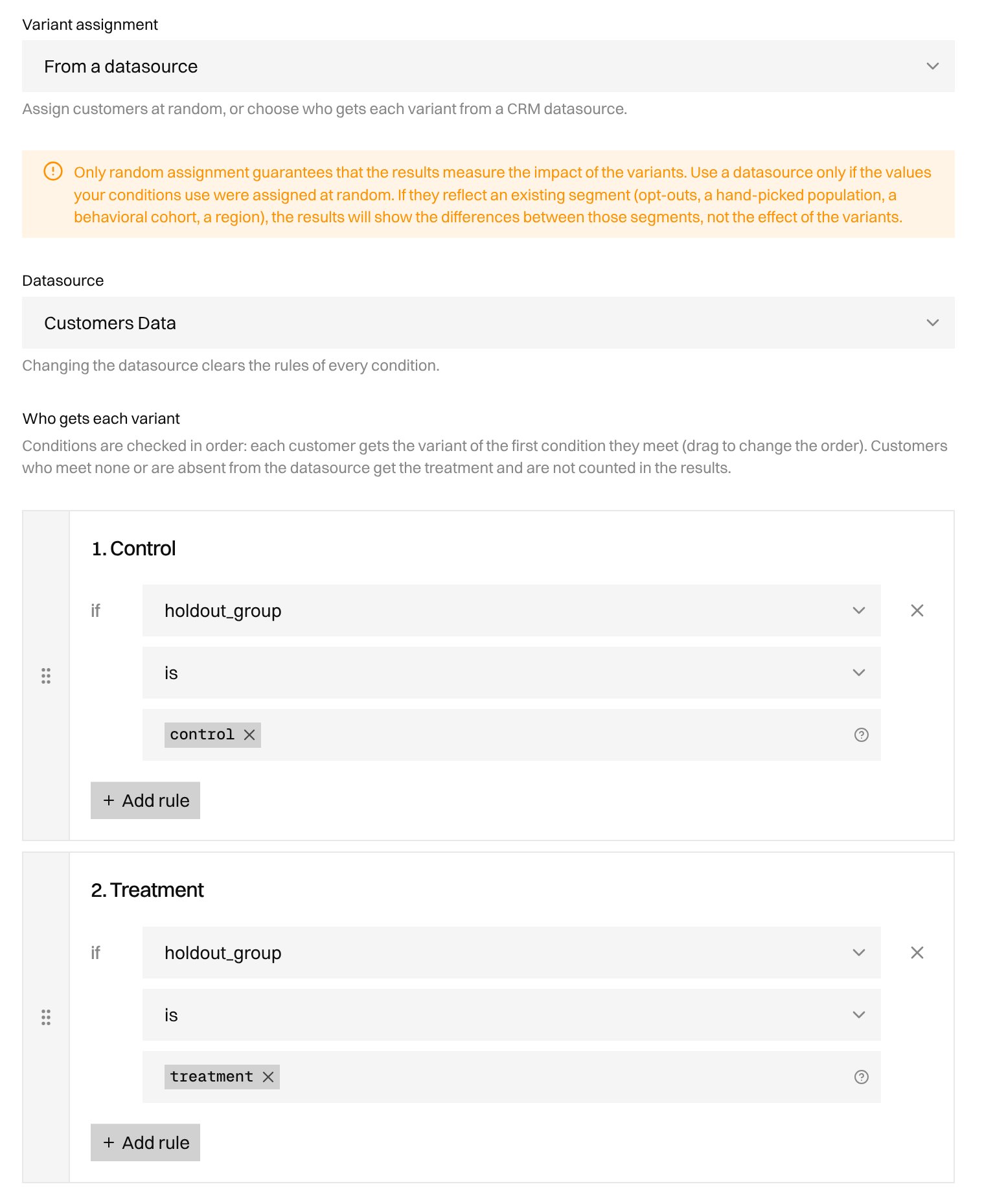
Who gets each Variant
Conditions are checked in order, and each customer gets the Variant of the first condition they meet. If a customer can meet several conditions, drag the conditions to choose which one comes first. Each Variant’s allocation becomes an Expected allocation. It is only an estimate: the Datasource decides who gets each Variant. A customer is unclassified when they meet no condition, have no row in the Datasource, are anonymous, or their row cannot be read. There is no catch-all condition, so write one condition for every group you want to classify. Unclassified customers receive a fallback Variant and are not counted in the results.
The Experiment Node reads the customer’s CRM row (their line in the Datasource) itself, so you do not need a Data Node in the Workflow.
Example
Your CRM has a field namedholdout_group that contains control or treatment, assigned at random. You create a Global holdout and expect 10% of customers in the Control.
A customer whose
holdout_group is empty meets neither condition. They receive the Treatment and are not counted in the results.
The 10% you entered is only an estimate. The holdout_group value decides which Variant each customer receives.
Keep your results reliable
- Use a field whose values were assigned at random and do not change during the Experiment.
- Make every group come from the same random draw.
- If you add another rule, add it to every condition with and. For example, adding
country = FRonly to the Control condition breaks the comparison. - Avoid moving classified customers to another Variant after start.